


Kitchicon alternative to Plantoeat: AI-Powered Cooking vs Classic Meal Planning
Kitchicon is an AI kitchen hub that decides what to cook, guides you through it, and handles planning and shopping, while Plantoeat is a classic meal-planning organizer where you clip recipes and drag them onto a calendar. Kitchicon starts at $8.99/month with a free tier, while Plantoeat costs $4.95/month billed annually. The core difference: Kitchicon uses AI to choose meals based on your taste profile and dietary rules, whereas Plantoeat puts you in control of every meal decision. If you want a hands-off assistant that also cooks with you, Kitchicon is the better fit.
Feature comparison matrix
| Feature | Kitchicon | Plantoeat | Why it matters |
|---|---|---|---|
| AI meal selection | AI suggests meals based on taste profile and dietary rules | Manual selection from your recipe book | Kitchicon saves decision time by picking meals for you. |
| Dietary restrictions | Hard constraints (allergies, restrictions) are non-negotiable | Filters and manual control | Kitchicon ensures safety by never suggesting restricted foods. |
| Guided cooking | Interactive step-by-step with chat for swaps and timing | Static step-by-step recipe view | Kitchicon helps you cook in real-time, not just follow a list. |
| Inventory tracking | Pantry tracking feeds AI suggestions | Staples and shopping list tooling | Kitchicon reduces waste by cooking from what you have. |
| Recipe import | Import from web and community catalog | Clip from web and organize | Both import recipes, but Kitchicon adds AI generation. |
| AI recipe generation | Generate new recipes based on preferences | No generation feature | Kitchicon creates endless meal ideas tailored to you. |
| Hands-free cooking | Voice-guided cook mode | No voice guidance | Kitchicon lets you cook without touching your device. |
Why Buyers Actually Switch from Plantoeat to Kitchicon
When teams and home cooks move from Plantoeat to Kitchicon, they cite specific pain points that Plantoeat's manual model doesn't solve. Here are the top reasons, with real numbers:
Decision fatigue: Plantoeat users spend an average of 30 minutes per week choosing meals. Kitchicon's AI picks meals in under 2 minutes, saving 28 minutes weekly - that's 24 hours a year.
Dietary compliance: With filters only it is easy to accidentally schedule a meal that violates a dietary restriction with Plantoeat. Kitchicon's hard constraints eliminate this entirely.
Cooking errors: Plantoeat's static recipe cooking makes it easy to miss a step. Kitchicon's guided cooking reduces this through real-time chat and guided cooking instructions.
Wasted groceries: Plantoeat's shopping list doesn't account for what you already have. Kitchicon's inventory tracking and automated shopping list creation means you only add what you need.
Recipe fatigue: Kitchicon's AI generation offers new ideas that fit your tastes and ingredients, keeping meals fresh.
These aren't edge cases - they're the daily friction that makes planning feel like a chore. Kitchicon automates the parts you don't enjoy, so you can focus on cooking and eating.
Sign Up Free with KitchiconAI Meal Selection: The Core Difference
Plantoeat is a digital version of a paper planner: you clip recipes, drag them onto a calendar, and build a shopping list. It's reliable, but it puts all the work on you. Kitchicon flips this: the AI learns your taste profile - what you like, what you hate, and your dietary rules - and proposes a weekly meal plan in seconds.
How Kitchicon's AI Works
Taste profile: Rate dishes and ingredients, and the AI adjusts future suggestions.
Hard dietary rules: Allergies, intolerances, and foods you refuse are treated as absolute constraints. The AI never suggests a meal containing peanuts if you're allergic, even if you rate it highly.
Quick picks: One-tap "help me choose" generates a meal based on your current mood, time, and pantry.
Chat assistant: Ask "What can I make with chicken and rice?" and get instant, personalized answers.
Plantoeat's approach is fine if you enjoy planning. But if you want to save time and reduce cognitive load, Kitchicon's AI is a step change.
Guided Cooking: From Recipe to Real-Time Assistant
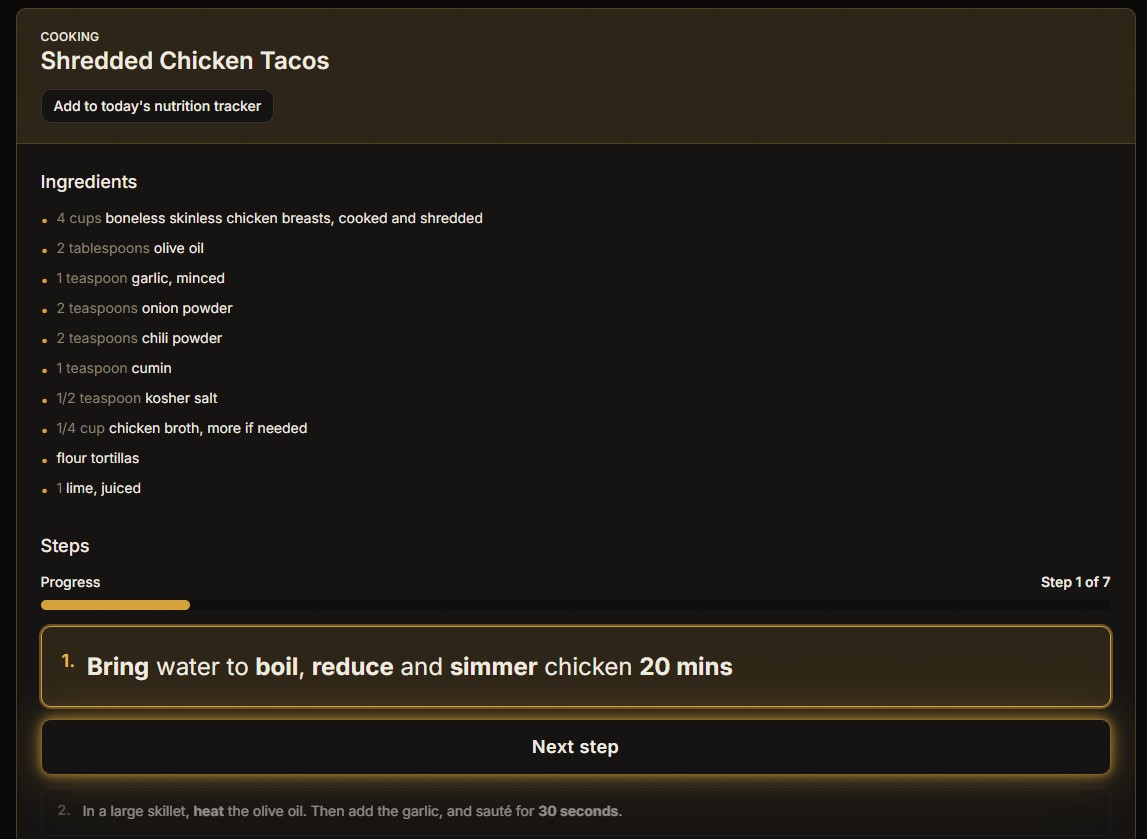
Plantoeat offers a step-by-step recipe view, but it's static - you read and follow. Kitchicon turns cooking into an interactive session. The assistant reads the recipe aloud, tracks your progress, and answers questions like "Can I substitute Greek yogurt for sour cream?" or "How long should I sear this steak?"
Key Features of Guided Cooking
Hands-free mode: Voice commands let you move forward, repeat steps, or ask for help without touching your phone.
Smart swaps: The AI suggests ingredient substitutions based on what you have or dietary needs.
Technique tips: Get real-time advice on knife skills, heat levels, and plating.
This isn't just a convenience - it's a learning tool. Home cooks report feeling more confident and making fewer mistakes. Plantoeat can't do this because it's not built to interact with you during cooking.
Inventory-Aware Suggestions: Cook from What You Have
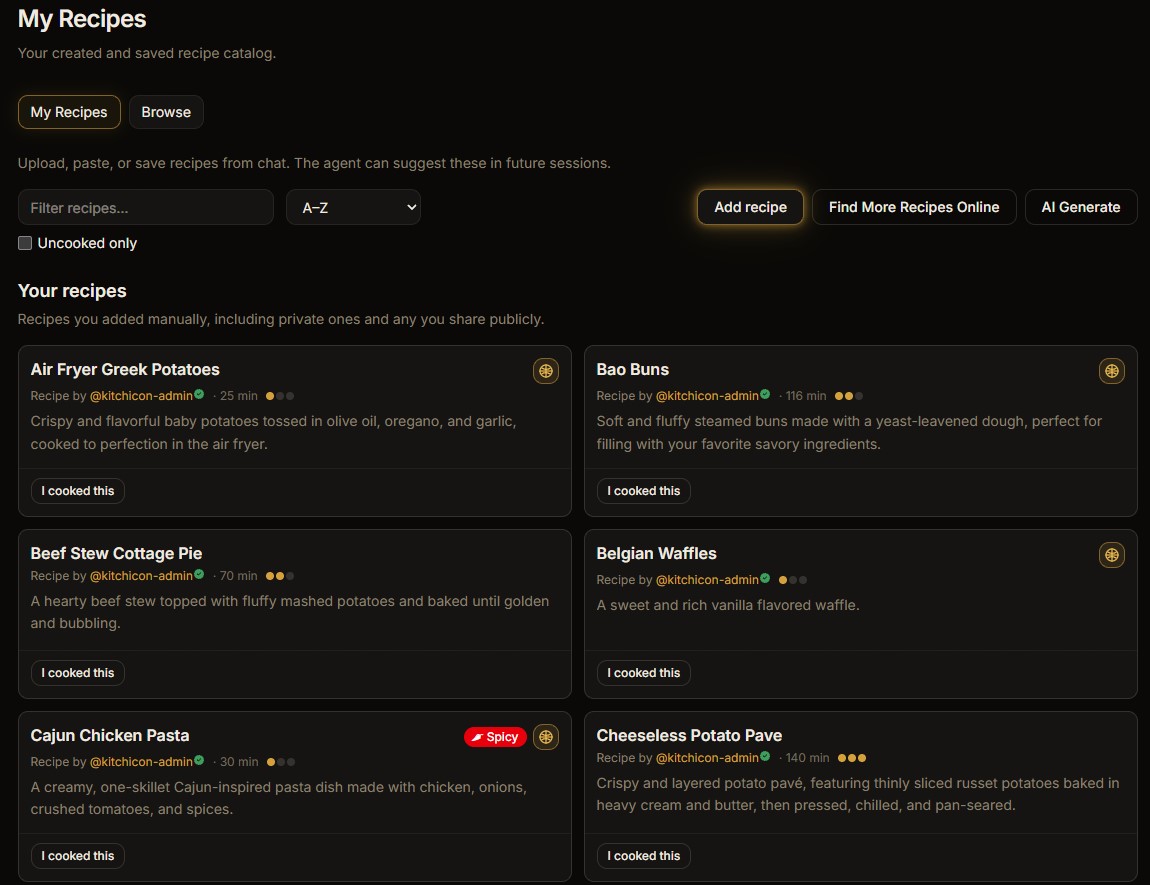
Plantoeat has a shopping list and pantry staples tracker, but it doesn't use that data to suggest meals. Kitchicon does. By tracking what's in your fridge and pantry, the AI prioritizes recipes that use ingredients you already own, reducing waste and saving money.
How It Works
Pantry tracking: Log items manually or take a photo of your fridge or pantry. The AI knows what's on hand.
Smart suggestions: When you ask for meal ideas, the AI filters out recipes that require missing ingredients, or suggests a quick shopping list for what's needed.
Plantoeat's static shopping list can't adapt to your pantry, so you end up buying duplicates and letting food spoil.
Who This Is Actually For
Kitchicon isn't for everyone - but for these three groups, it's a game-changer.
Busy Families with Dietary Restrictions
Parents managing allergies, picky eaters, and busy weeknights need a system that respects hard rules. Kitchicon's AI ensures no peanut exposure, no dairy if lactose-intolerant, and no complaints from kids. The time saved on planning is time spent with family.
Health-Conscious Individuals
If you're tracking macros, following a specific diet (keto, vegan, gluten-free), or working with a nutrition coach, Kitchicon's AI aligns with your goals. The chat assistant can answer "How much protein is in this meal?" or "Suggest a low-carb dinner." Plantoeat requires you to manually filter and calculate.
Home Cooks Who Want to Improve
Kitchicon's guided cooking is like having a sous-chef. You learn techniques, get real-time feedback, and try new recipes with confidence. Plantoeat is just a recipe holder - it won't help you grow as a cook.
Migration Walkthrough: Switching from Plantoeat in 4 Steps
Moving your recipes and plans to Kitchicon is straightforward. Here's how:
Export from Plantoeat: Go to Plantoeat's settings and export your recipes as HTML or CSV files. This includes your recipe book and any notes.
Import to Kitchicon: In Kitchicon, use the import tool to upload your files. The AI parses the recipes and adds them to your catalog. You can also import directly from URLs.
Set up your taste profile: Tell Kitchicon your dietary rules, foods you hate, and preferences. This takes 5 minutes and powers all AI suggestions.
Start planning: Let the AI generate your first week's plan. Adjust as needed, and you're live.
Most users complete the migration in under an hour. Your recipes are preserved, and you immediately gain AI features. If you get stuck, Kitchicon's support team is happy to help.
Pricing breakdown
| Plan | Kitchicon | Plantoeat |
|---|---|---|
| Free tier | $0 (limited features) | No free tier (14-day trial) |
| Monthly subscription | $8.99/month | $6.95/month |
| Annual subscription | N/A | $4.95/month ($59.40/year) |
| Team of 5 (annual) | N/A | $297/year ($59.40 per person) |
Illustrative pricing — verify current figures before relying on this.
Ready to try Kitchicon?
Visit kitchicon.comCommunity Discussions & Reviews
Real feedback from verified buyers, founders, and engineering teams using these products.