


EasyKanban alternative to Trello: The Honest Comparison for Teams That Want Less Setup, More Flow
EasyKanban is a lightweight kanban board for people who want to see their work at a glance without setting up a project management system first. Drag and drop cards, colour-code with custom tags, invite a team, and let an AI assistant read or update the board.
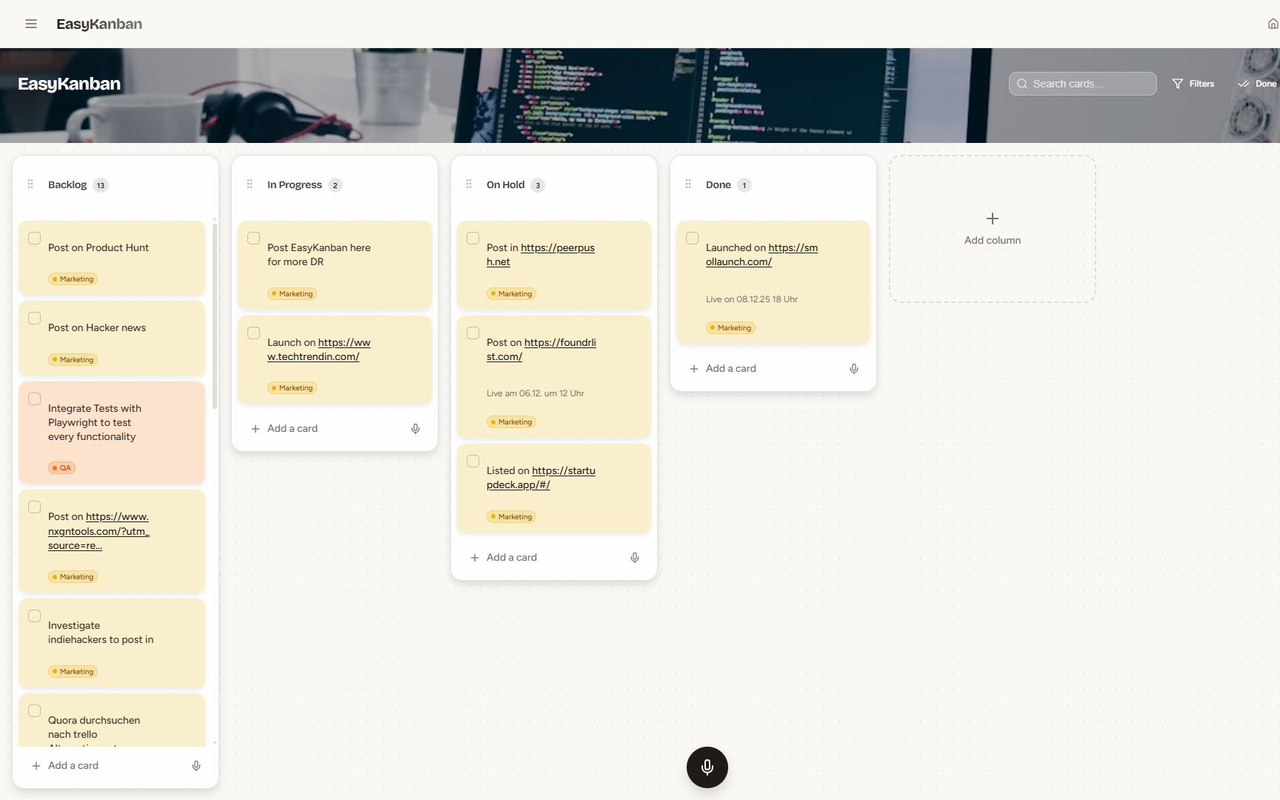
Feature comparison matrix
| Feature | EasyKanban | Trello | Why it matters |
|---|---|---|---|
| Free tier boards | Unlimited boards on free plan | 10 boards per workspace on free plan | You won't hit a wall when your team spins up a new project. |
| Built-in AI assistant | Yes, included in every plan | No native AI; requires third-party integrations | Ask your board questions or update cards without clicking through menus. |
| Custom tags/color coding | Unlimited custom tags with color | Labels available but limited to 10 colors per board | More granular visual organization for complex workflows. |
| Automation | Basic automation included (rules and triggers) | Butler automation requires paid plan (Starter or above) | Save time without paying extra for simple automations. |
| Onboarding time | Under 5 minutes to first board | 15-30 minutes typical setup with power-ups and custom fields | Get started faster, especially for non-technical teams. |
| Data export | One-click JSON export | Export available but requires manual steps per board | Your data is never locked in. |
| Mobile app | Responsive web app, works on any device | Dedicated iOS/Android apps | Web app means no app store updates to manage. |
Why teams actually switch from Trello
Most teams don't leave Trello because it's broken. They leave because the overhead creeps up. Here are the concrete reasons we hear from customers who moved to EasyKanban:
Board limits on free plan: Trello's free tier caps you at 10 boards per workspace. A team of 8 running 3 active projects plus a backlog and a personal board hits that limit in a month. EasyKanban gives you unlimited boards on the free plan.
Automation paywall: Trello's Butler automation is locked behind the paid Starter plan (now $5/user/month) and even then, you get a limited number of automation runs. EasyKanban includes basic automation rules (move cards, assign, set due dates) on every plan, including free.
AI is an afterthought: Trello has no native AI. You have to bolt on third-party tools like Zapier or custom GPTs to get AI to read or update your board. EasyKanban has a built-in AI assistant that understands your board's context and can answer questions like "What's overdue?" or "Move all 'In Review' cards to 'Done'."
Setup time: A fresh Trello board is a blank slate. To make it useful, you add power-ups, custom fields, labels, and Butler rules. That's 15-30 minutes of fiddling. EasyKanban is designed to be useful out of the box: you create a board, add columns, and start dragging cards. The AI can even help you set up your board structure.
Cost creep: Trello's pricing looks simple, but the features you actually need (automation, custom fields, advanced checklists) are add-ons. A team of 10 on Trello Standard with Butler and custom fields pays roughly $1,750/year. The same team on EasyKanban pays $600/year flat.
These aren't edge cases. They're the everyday friction that makes a tool feel heavier than it should. EasyKanban strips that friction away.
Deep dive: The AI assistant that actually works
EasyKanban's AI isn't a chatbot that happens to live on your board. It's a context-aware assistant that reads your board's data and can take actions. Here's what that means in practice:
Ask questions in plain English
Type "What's blocked?" and the AI scans all cards, checks their labels and comments, and returns a list. Type "Show me everything due this week" and it filters by due date. No need to build complex filters or save views.
Update cards with voice or text
You can say "Move the 'Design review' card to 'In Progress'" and the AI does it. Or "Add a comment to the 'API integration' card saying the client approved the spec." This is a game-changer for stand-up meetings or when you're on the go.
Set up your board automatically
New to kanban? Tell the AI "Create a board for a marketing campaign with columns for To Do, Doing, Review, and Done" and it builds it for you, complete with sample cards. Trello has no equivalent.
The AI is included in every plan, even the free one. There are no token limits or usage caps. It's a core feature, not a premium add-on.
Deep dive: Pricing that doesn't nickel-and-dime you
Trello's pricing model is a la carte. The base Standard plan ($5/user/month) gives you unlimited boards, but automation (Butler) costs extra, custom fields cost extra, and advanced checklists cost extra. By the time you add the features your team actually uses, you're paying 2-3x the base price.
EasyKanban has one paid plan: $5/user/month (or $4/user/month billed annually). That includes everything: unlimited boards, unlimited users, AI, automation, custom tags, and priority support. No add-ons, no surprise charges.
Here's a real comparison for a 10-person team:
Trello Standard: $600/year base. Add Butler automation (+$7.50/user/month) = $900/year. Add custom fields (+$5/user/month) = $600/year. Total: $2,100/year.
EasyKanban: $600/year flat. Total: $600/year.
That's a 71% savings. And you get the AI assistant, which Trello doesn't offer at any price.
Deep dive: Custom tags and color coding
Trello labels are limited to 10 colors per board. That's fine for simple categorization, but if you want to track priority, department, and status simultaneously, you run out of colors fast.
EasyKanban lets you create unlimited custom tags with any color from a full palette. You can tag a card with "High Priority" (red), "Marketing" (blue), and "Needs Approval" (purple) all at once. The board becomes a rich visual map of your work, not just a list of cards.
This matters because color is the fastest way to scan a board. When you can encode multiple dimensions of information in tags, you can spot bottlenecks and priorities at a glance without opening a single card.
Who is this actually for?
EasyKanban is ideal for teams that want the simplicity of a kanban board without the setup tax. Here are three concrete scenarios:
1. Small marketing teams (3-8 people)
You're juggling content calendars, campaign launches, and client requests. You need a board that's easy to update and quick to read. EasyKanban's AI can summarize what's been done this week or flag overdue tasks, saving you 30 minutes of manual reporting.
2. Freelancers and solo consultants
You don't need a full project management suite. You need a place to track your projects, deadlines, and client feedback. EasyKanban's free plan gives you unlimited boards and the AI assistant, so you can manage everything without paying a cent.
3. Non-technical teams (HR, ops, legal)
You don't want to configure power-ups or write automation rules. You want to drag a card from "New Request" to "In Progress" and move on. EasyKanban's out-of-the-box setup and AI help mean you're productive in minutes, not hours.
Migration: How to move from Trello in under an hour
Switching tools is a pain, but EasyKanban makes it as painless as possible. Here's the step-by-step:
Export your Trello boards: In Trello, go to Board > Menu > More > Print and Export > Export as JSON. Do this for each board you want to move.
Create your EasyKanban workspace: Sign up at easykanb.app and create a new workspace. You'll be prompted to set up your first board.
Use the AI to recreate your board: Instead of manually recreating columns and cards, paste your Trello JSON into the AI assistant and say "Import this board." The AI will parse the data and recreate your columns, cards, labels, and due dates.
Review and adjust: Once the board is created, review it. The AI might not capture every comment or attachment, so check the critical cards and add anything missing.
Invite your team: Send invites to your team members. They'll get an email with a link to join. No credit card required.
Delete your Trello boards (optional): Once you're confident everything is in EasyKanban, you can archive or delete your Trello boards to avoid confusion.
The whole process takes under an hour for a typical team. And because EasyKanban has a one-click JSON export, you're never locked in.
Final thoughts
Trello is a solid tool, but it's become a platform that requires configuration. EasyKanban is a tool that gets out of your way. With unlimited boards on the free plan, a built-in AI assistant, and a flat pricing model, it's the better choice for teams that value speed and simplicity. This comparison was published with Alt Hunt to help you make an informed decision.
Start freePricing breakdown
| Plan | EasyKanban | Trello |
|---|---|---|
| Free | $0 – unlimited boards, 5 users, AI included | $0 – 10 boards per workspace, 10 users, no AI |
| Standard (per user/month, billed annually) | $6 – unlimited everything, AI included | $5 – but automation, custom fields, and advanced checklists cost extra |
| Team of 10, annual cost | $600/year flat (no hidden fees) | $600/year base, but adding Butler automation (+$7.50/user) and custom fields (+$5/user) brings it to $1,750/year |
Illustrative pricing — verify current figures before relying on this.
Ready to try EasyKanban?
Visit easykanb.appCommunity Discussions & Reviews
Real feedback from verified buyers, founders, and engineering teams using these products.