


Zipic alternative to Imageoptim: image compression for Mac and Windows
Updated 9 Nov 2026
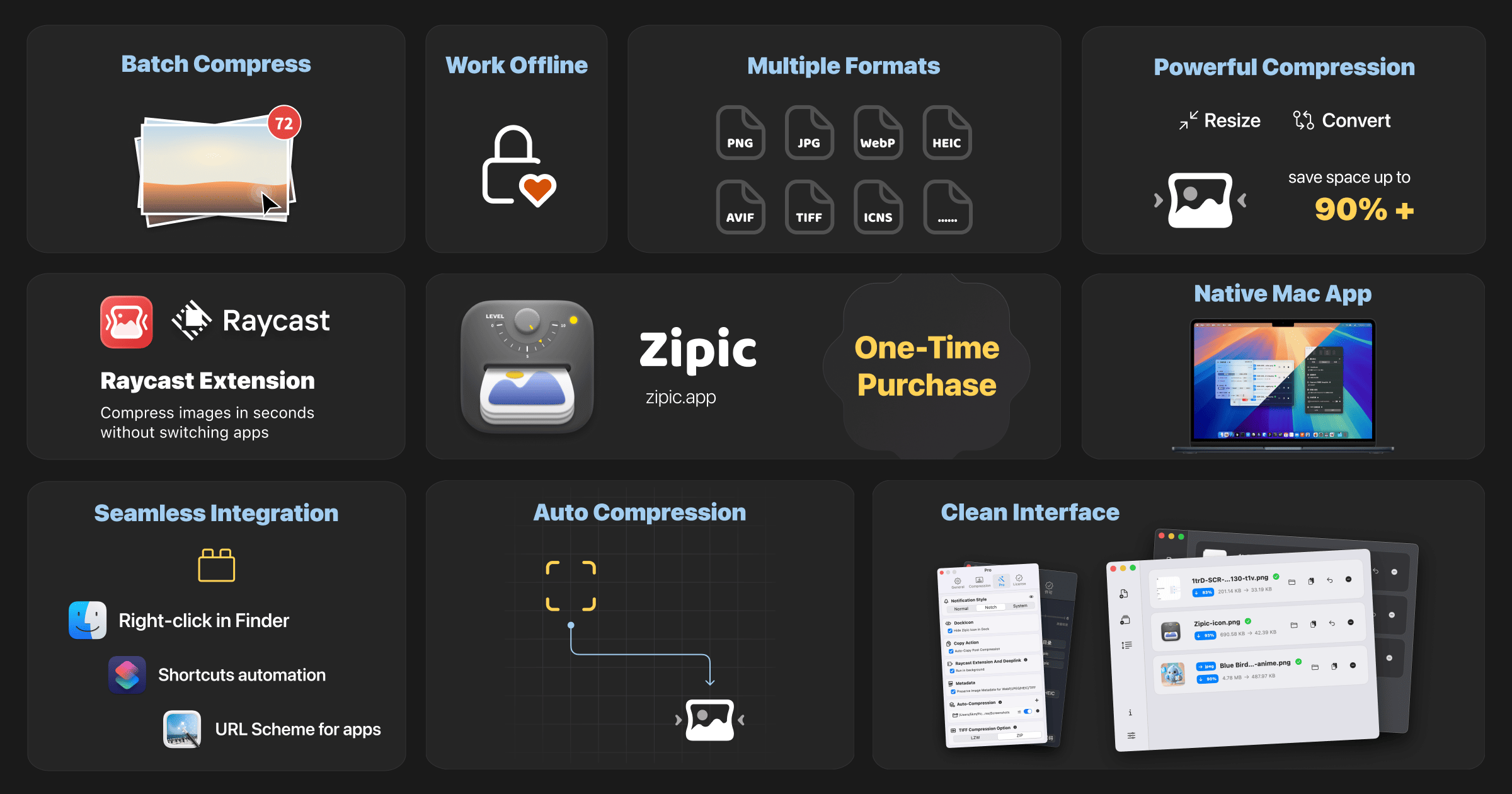
Zipic and ImageOptim are image compression apps that process images locally. Zipic supports macOS and Windows (beta), batch resizing, format conversion and presets, with a free tier and a one-time Pro option. ImageOptim for Mac is free and open source, and focuses on image optimization and metadata removal.
Feature comparison matrix
| Feature | Zipic | Imageoptim | Why it matters |
|---|---|---|---|
| Platform support | macOS 13+ and Windows 10+ (Windows in beta) | macOS only | Cross-platform teams can standardize on one tool instead of splitting workflows by OS. |
| Pricing model | Limited free tier; Pro is a one-time purchase after a 7-day trial | Free and open source | A one-time Pro purchase can be easier to budget than per-seat subscriptions, while Imageoptim costs nothing. |
| Batch resizing | Yes, built-in batch resizing | Not listed on ImageOptim Mac page | Resizing during compression saves a separate step when preparing images for web or app assets. |
| Format conversion | Yes, built-in format conversion | Not listed on ImageOptim Mac page | Converting formats in the same pass reduces tool-switching for teams standardizing on modern formats. |
| Presets | Yes, reusable presets | Not listed on ImageOptim Mac page | Presets keep output consistent across team members and repeated jobs. |
| Metadata removal | Supported | Supported | Both tools can strip metadata, so this is not a differentiator. |
| Command line use | Zipic CLI available (Pro) | Supported | Both offer command-line options for automation on Mac. |
| Local processing | Yes, all processing is local | Yes, all processing is local | Neither tool requires uploading images to a server. |
Zipic and ImageOptim both help reduce image file sizes on your own device. ImageOptim for Mac is a free, open-source tool focused on optimization and metadata removal. It supports drag-and-drop and command-line use.
Zipic is a native image compression app for macOS 13+ and Windows 10+; the Windows version is currently in beta. It adds batch resizing, format conversion and customizable presets. Images are processed locally. Zipic includes a seven-day Pro trial and a limited free tier after the trial; Pro is a one-time purchase.
Choose ImageOptim if a free, open-source Mac optimizer meets your needs. Consider Zipic if you also need Windows support or want to resize and convert images as part of a batch workflow. Check each product’s current documentation and pricing for details.
Disclosure: this comparison was submitted by the maker of Zipic.
Pricing breakdown
| Plan | Zipic | Imageoptim |
|---|---|---|
| Free tier | Limited free tier available | Free and open source |
| Pro / paid | One-time purchase after a 7-day Pro trial | No paid tier |
Illustrative pricing — verify current figures before relying on this.
Ready to try Zipic?
Visit zipic.appMore alternatives
All Imageoptim alternativesCommunity Discussions & Reviews
Real feedback from verified buyers, founders, and engineering teams using these products.