


Mobilestudio alternative to Screenstudio: Mobile App Demos vs macOS Screen Recording
Updated 4 Nov 2026
Mobilestudio is a waitlist-stage tool for turning mobile screen recordings into polished app demos with device frames and smooth zooms. Screen Studio is a macOS screen recorder that automatically adds zooms and smooth mouse movement, priced at $9/mo yearly or $29/mo monthly. Mobilestudio's pricing is not public. The key difference: Mobilestudio targets mobile app recordings, while Screen Studio records any macOS screen and is available now.
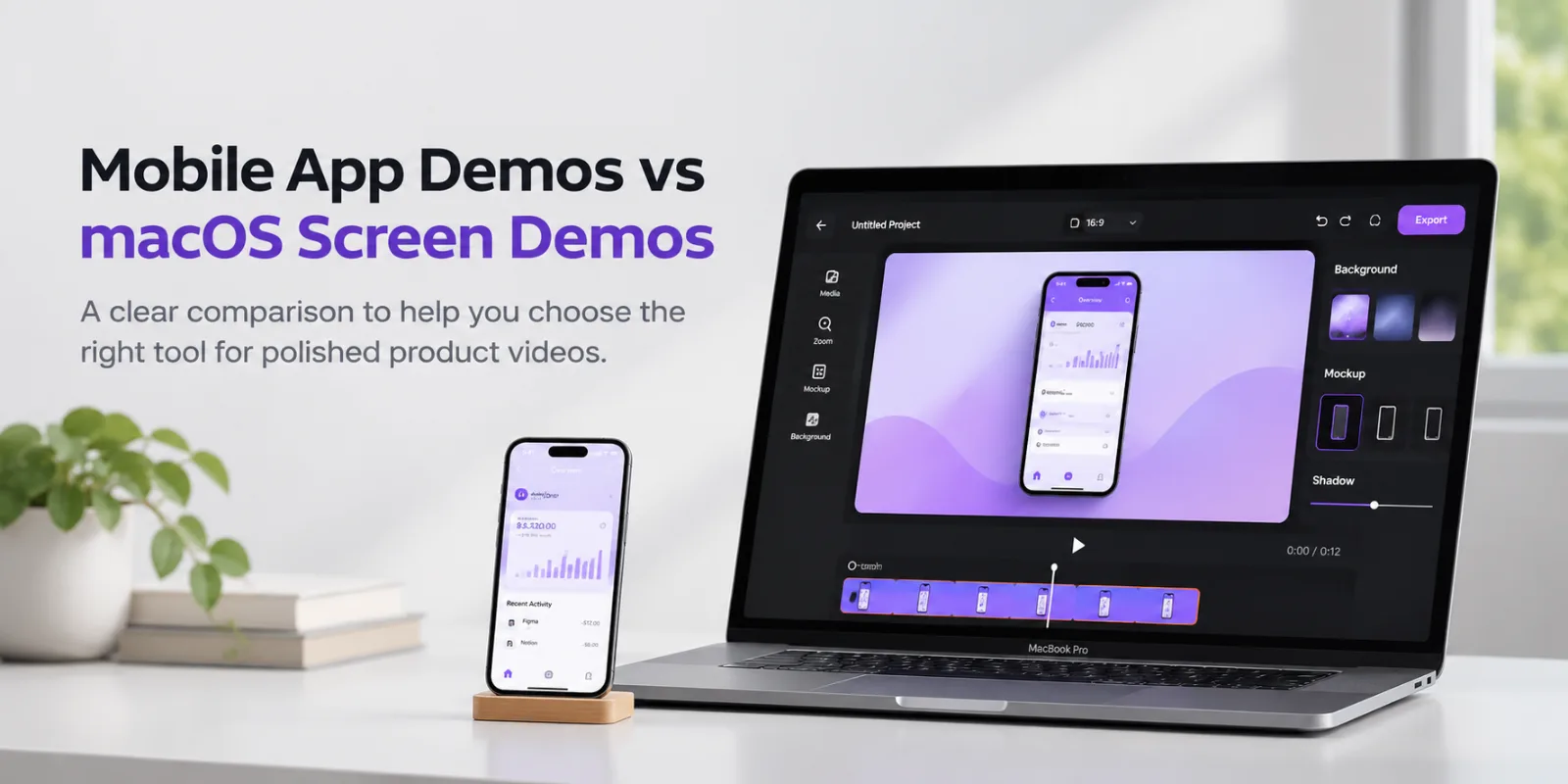
Feature comparison matrix
| Feature | Mobilestudio | Screen | Why it matters |
|---|---|---|---|
| Primary platform | Mobile screen recordings (iOS/Android) | macOS screen recorder | Mobilestudio focuses on mobile app demos; Screen Studio records macOS screens. |
| Device frames | Adds beautiful device frames to recordings | Not mentioned as a feature | Mobilestudio explicitly offers device frames for mobile recordings. |
| Automatic zoom | Smooth zooms (manual or preset) | Automatic zoom on mouse actions | Screen Studio automatically zooms based on clicks; Mobilestudio offers smooth zooms but automation is unclear. |
| Backgrounds | Custom backgrounds available | Not highlighted as a feature | Mobilestudio emphasizes backgrounds for polished demos. |
| Mouse movement smoothing | Not mentioned | Smooth mouse movement | Screen Studio smooths mouse movement for a filmed feel. |
| Transcript editing | Not mentioned | Edit with transcript, cloud transcript | Screen Studio allows editing via transcript and provides cloud transcripts. |
| Export resolution | Not specified | Up to 4K at 60 fps | Screen Studio supports 4K 60fps exports; Mobilestudio's export specs are not listed. |
| Availability | Waitlist (join the waitlist) | Available now for macOS | Mobilestudio is pre-release; Screen Studio is currently available. |
Why buyers switch from Screenstudio to Mobilestudio
Screenstudio and Mobilestudio both promise the same end result — a polished product video you can drop into a landing page, a launch post, or an app store listing. But they get there from opposite starting points. Screenstudio is a macOS screen recorder built around desktop capture: it watches where you click, adds automatic zooms on mouse actions, smooths cursor movement, and exports up to 4K at 60 fps. Mobilestudio is built around mobile screen recordings: you record your iOS or Android app, wrap it in a device frame, add smooth zooms and backgrounds, and export a demo video. That difference in starting point drives most of the switching decisions we see. Here are the concrete reasons teams move.
1. The recording source is a phone, not a Mac
Screenstudio's entire feature set is tuned to macOS. Its automatic zoom logic keys off mouse clicks and cursor position, its upscaler was trained on macOS screenshots and SwiftUI apps, and the product is explicitly "designed for macOS." If your product is a mobile app, your most important footage comes from a phone or a simulator, and desktop-oriented capture logic does not map cleanly onto taps, swipes, and gestures. Mobilestudio starts from the mobile recording and treats the device frame as a first-class element rather than an afterthought. Teams that ship iOS and Android apps tell us the switch is less about missing features and more about not fighting the tool's assumptions on every project.
2. Device frames are built in, not bolted on
Mobilestudio's core pitch is "give your recording the frame it deserves" — device frames, backgrounds, and smooth zooms are the product, not a plugin or a manual overlay you build yourself. Screenstudio's feature list covers zooms, layouts, captions, webcam, transcript-based editing, and Reel mode for Instagram and TikTok safe areas, but device framing for mobile hardware is not listed among its documented features. For an app demo, a clean phone frame with a matching background is often the single biggest visual upgrade, and doing it inside the same tool that holds the recording removes an export-import round trip through a design tool.
3. The output format is a mobile demo, not a desktop tutorial
Screenstudio is positioned for product demos, courses, tutorials, and social media videos recorded on a Mac. That is a broad, desktop-first brief. Mobilestudio is narrower on purpose: "turn mobile screen recordings into polished app demos." Narrower scope means fewer decisions per project. You are not choosing between wide 16:9, square 1:1, and vertical 9:16 layouts for a desktop capture that was never designed for vertical; you are framing a phone recording that already has the right aspect ratio and adding the polish around it. Teams with a steady cadence of app releases — a new build every two weeks, a feature announcement every sprint — benefit from that reduced decision surface more than they benefit from a wider feature menu.
4. Platform lock-in is a real cost
Screenstudio requires macOS. If your design or marketing team is split across operating systems, or if the person who owns app demo videos happens to work on Windows, the tool is simply unavailable to them. Mobilestudio's site does not advertise a platform restriction in the material we reviewed, and its workflow is centered on mobile recordings rather than a specific desktop OS. For teams where the demo video is produced by a product marketer, a founder, or a growth engineer rather than a dedicated video editor on a Mac, removing the hardware requirement removes a coordination problem.
Feature deep-dive: device frames and backgrounds as the core workflow
The most concrete differentiator in the research is framing. Mobilestudio's site leads with "Give your recording the frame it deserves" and lists device frames, smooth zooms, and backgrounds as the three pillars of the workflow. Screenstudio's documented feature set does not mention device frames. That gap matters more than it sounds, because framing is where most app demo videos succeed or fail visually.
Why a device frame changes the perceived quality
A raw phone screen recording is a rectangle of UI floating in a video canvas. Viewers have no spatial anchor — they cannot tell whether they are looking at a phone, a tablet, or a cropped desktop window. A device frame supplies that anchor instantly: the bezel, the rounded corners, the notch or dynamic island silhouette. It tells the viewer "this is a real app on a real phone" before a single word of copy is read. Mobilestudio treats this as the default state of a project rather than an optional finishing step, which means every export starts from a framed baseline.
Backgrounds do the work that captions cannot
Mobilestudio lists backgrounds alongside frames and zooms. In practice, a background is what makes a framed recording usable across surfaces: a soft gradient behind the device on a landing page hero, a solid brand color for a social post, a neutral tone for a documentation embed. Because the background sits behind the frame rather than inside the recording, you can restyle the same capture for different channels without re-recording. That is a meaningful time saving for teams that publish one demo in four places.
Frames plus zooms compound
A zoom inside an unframed recording magnifies raw UI and often exposes rendering artifacts at the edges. A zoom inside a framed recording keeps the device context visible while the UI scales, so the viewer never loses the sense of where they are. Mobilestudio pairs "beautiful device frames" with "smooth zooms" in its own description, which suggests the two are designed to be used together rather than as independent effects. For a 20-second app store preview where you need to show three screens in sequence, that combination is the whole job.
What Screenstudio does instead
To be fair to the competitor: Screenstudio invests heavily in a different kind of polish. It offers a 6.5× real-time upscaler trained on over 5,000 macOS screenshots and SwiftUI apps, classic and loupe zoom styles, automatic zooms balanced so a webcam never covers the cursor, transcript-based editing, captions, and Reel mode that previews Instagram and TikTok interface overlays so nothing important ends up underneath them. Those are strong features — for desktop recordings. If your footage is a Mac window, Screenstudio's toolchain is purpose-built for it. If your footage is a phone, the framing layer is the one you actually need, and that is where Mobilestudio concentrates.
Feature deep-dive: recording-to-export scope and the zoom model
The second major dimension is what happens between the raw recording and the finished file. Both products automate zoom, but they automate it from different signals, and that difference shapes how much manual editing each workflow requires.
Automatic zoom on mouse actions vs. smooth zooms on mobile gestures
Screenstudio's headline automation is explicit: it "looks at what you did while recording, like where you clicked, and zooms in on the moments that matter." That is a click-driven model. It works beautifully when the story of your video is a sequence of clicks through a desktop interface. On a phone, the equivalent signals are taps, long presses, swipes, and scroll momentum — and a zoom that fires on every tap in a mobile app can feel twitchy, because mobile UIs often involve rapid multi-tap sequences. Mobilestudio describes its zoom capability as "smooth zooms" without claiming click-detection automation, which reads as a more manual or preset-driven model. For mobile demos that is often the right call: you decide which two or three moments deserve emphasis rather than accepting a zoom on every interaction.
Manual control and the editing surface
Screenstudio offers both automatic and manual zoom — you can drop a zoom on the timeline for one specific part of the screen. It also supports editing via transcript, which lets you cut footage by deleting words rather than scrubbing a timeline. Mobilestudio's public description does not detail a transcript editor or a timeline model; it emphasizes the framing, zoom, and background pipeline. If transcript-driven editing is central to how your team works, that is a genuine Screenstudio advantage worth weighing. If your demos are short — 15 to 45 seconds, three screens, one flow — a transcript editor is overhead you will not use.
Export and distribution
Screenstudio documents export up to 4K at 60 fps, shareable links, cloud transcript, and project sharing across every plan. Mobilestudio's site describes creating "professional product videos ready to share" without publishing resolution or frame-rate specifics in the material reviewed. For app store previews, the platform requirements are strict about resolution and duration, so confirm your target specs against Mobilestudio's current documentation before committing a launch video to it. For landing pages, social posts, and sales decks, the framing and background pipeline is the part that determines whether the video looks professional, and that is where Mobilestudio's scope is concentrated.
Aspect ratios and channel fit
Screenstudio exposes wide 16:9, square 1:1, and vertical 9:16 layouts, and its Reel mode overlays Instagram and TikTok UI so you can check safe areas. That is a thoughtful set of controls for repurposing one desktop recording across channels. Mobilestudio's framing approach solves a related problem differently: a phone recording is already vertical-native, so the vertical export is the primary case rather than a reformat. Teams publishing to TikTok, Reels, and app store previews usually find the mobile-native starting point requires less re-layout work per channel.
Pricing compared
Screenstudio publishes clear pricing on its site. Every Screen Studio feature is included in every plan — there are no feature gates between tiers. The monthly plan is $29/mo. The yearly plan is $9/mo billed yearly, which the site presents as a 69% saving versus monthly. There is also a students and education discount listed on the site (see the site for current eligibility and terms). At $9/mo yearly, the effective annual commitment is roughly $108 per seat per year; at $29/mo monthly, a full year of month-to-month billing runs about $348. Those are the two numbers to compare against whatever your team currently spends on demo video production.
Mobilestudio's pricing is not public in the material we reviewed. There is no pricing page at the standard paths, and the site's primary call to action is a waitlist rather than a checkout. That means we cannot quote a monthly or yearly figure, and we will not invent one. What we can say is what the pricing structure implies: a waitlist-first product is typically still finalizing its commercial model, so the terms you get may depend on when you join and what tier you land in. Treat any number you see quoted elsewhere as unverified until it appears on mobilestudio.site.
How to frame the comparison honestly
If your only question is "which is cheaper per seat," Screenstudio is the only one of the two with a published number, so it wins by default — $9/mo yearly or $29/mo monthly, all features included. But cost per seat is the wrong denominator for most teams. The real cost is cost per finished demo video, and that includes the time spent getting footage into the right shape. A $9/mo tool that requires a separate design pass to add device frames to every mobile recording may cost more in labor than a tool that frames automatically, even at a higher sticker price. Conversely, if your recordings are all macOS windows, Screenstudio's $9/mo yearly plan is genuinely hard to beat and Mobilestudio's mobile-first framing would be wasted on your footage.
What to ask before you commit budget
Does Mobilestudio offer a free tier or trial? The research does not confirm one — ask directly before assuming you can evaluate at no cost.
Is Mobilestudio priced per seat, per workspace, or per export? Pricing not public means the unit of billing is also unknown.
Does Screenstudio's education discount apply to your team? It is listed on the site; eligibility terms are there too.
Will you be billed annually only, or is monthly available? Screenstudio offers both; Mobilestudio's model is not public.
For current Screenstudio figures, check the pricing section of screen.studio directly — plans and discounts change. For Mobilestudio, join the waitlist and ask for commercial terms in writing before you plan a budget line around it.
Who this is actually for
Neither tool is universally better. The decision comes down to what your recordings are of, and who on your team produces them. Here are three concrete scenarios.
Scenario A: A two-person mobile startup shipping weekly
You have an iOS app and an Android app, a two-person founding team, and a release cadence of roughly one build per week. Every release needs a short demo for the changelog, the App Store "What's New" section, and a LinkedIn post. Nobody on the team has video editing as a job title. In this scenario, the bottleneck is not zoom automation or transcript editing — it is the fifteen minutes of fiddling in a design tool to put a phone frame around a screen recording and pick a background that matches the brand. Mobilestudio's framing-first workflow targets exactly that step. The lack of published pricing is an annoyance, but the workflow fit is strong enough that it is worth joining the waitlist to evaluate. Screenstudio, at $9/mo yearly, would be cheaper on paper — but it is a macOS recorder, and the team's footage is not from a Mac.
Scenario B: A developer-tools company making desktop tutorials
You sell a CLI, an IDE plugin, or a web dashboard. Your demo videos are recorded on a Mac, they show a cursor moving through a desktop interface, and the story is a sequence of clicks. Your audience watches on YouTube and your docs site, mostly at 16:9. Here, Screenstudio is the obvious fit. Automatic zoom on mouse actions is precisely the automation this footage needs, the 6.5× upscaler keeps zoomed-in code legible, transcript-based editing lets you cut a 12-minute walkthrough down to 4 minutes by deleting sentences, and export up to 4K at 60 fps covers the docs embed and the YouTube upload. At $9/mo billed yearly with every feature included, the economics are straightforward. Mobilestudio's device frames would sit unused. Do not switch.
Scenario C: A growth team repurposing one demo across five channels
You have a single flagship app flow — onboarding, say — and you need it as a vertical Reel, a square feed post, a 16:9 landing page hero, an app store preview, and a 6-second pre-roll. The recording is from a phone. This is the messiest scenario and the one where the two tools' philosophies diverge most. Screenstudio gives you explicit 16:9, 1:1, and 9:16 layouts plus Reel mode safe-area overlays, which is real value for multi-channel repurposing — but you are repurposing a mobile recording inside a desktop-oriented editor. Mobilestudio's background-plus-frame model lets you restyle the same framed capture per channel without re-recording, which is the cheaper path when the source is already mobile-native. If your team is split across Mac and Windows, add that to the Mobilestudio column, since Screenstudio is macOS-only.
Scenario D: An agency producing demos for multiple mobile clients
You produce app demo videos for five to ten client apps at a time, each with its own brand palette and device family. Consistency across clients matters less than speed per project. A framing-first tool that lets you swap backgrounds and device frames per client, from the same recording pipeline, cuts per-project setup time. Screenstudio's project sharing and shareable links are useful for client review, and its all-features-in-every-plan structure means no per-seat feature negotiation. The honest answer here is that many agencies will want both: Screenstudio for any desktop-based client work, Mobilestudio for the mobile portfolio. Budget accordingly, and get Mobilestudio's commercial terms in writing first, since pricing is not public.
Getting started with Mobilestudio
Migration is light because there is not much to migrate — a screen recording is a file, and your existing videos stay where they are. Here is a practical sequence.
Join the waitlist at mobilestudio.site. The site's primary call to action is a waitlist rather than a signup form, so start there. While you wait, note which of your existing demo videos were made from mobile recordings — those are the candidates for a re-cut.
Audit your current demo library by source. Open your last ten product videos and label each one "mobile recording" or "desktop recording." The mobile ones are your Mobilestudio backlog. The desktop ones stay with Screenstudio or whatever produced them. This five-minute exercise prevents the most common migration mistake: moving a desktop tutorial into a mobile-first tool and wondering why the framing feels wrong.
Record one flow on a real device. Pick your single most-demoed flow — usually onboarding or the core action — and capture it cleanly on a phone. Keep it short: 20 to 40 seconds is enough for a first test. Do not add narration yet; you are testing the framing and zoom pipeline, not the script.
Apply a device frame and a background. This is the step that replaces your design-tool round trip. Match the background to your brand palette, and check that the frame matches the device family your users actually hold. Export and compare side by side with your previous version.
Add two or three smooth zooms. Resist zooming on every interaction. Pick the moments where the viewer needs to read a specific label or see a state change. If a zoom does not add information, cut it.
Confirm export specs before you publish. Mobilestudio's public material does not list resolution or frame-rate limits. Check the current documentation against your target channel — app store preview requirements are stricter than a landing page embed — before you commit a launch date.
Get commercial terms in writing. Because Mobilestudio's pricing is not public, ask about seat count, billing period, and whether a free tier or trial exists before you standardize the team on it. Do not plan a budget line on an assumed number.
Keep Screenstudio for desktop footage. If part of your library is macOS recordings, keep that subscription active. At $9/mo billed yearly with every feature included, it is a small line item, and forcing desktop footage through a mobile-first pipeline costs more in editing time than the subscription saves.
For more head-to-head software comparisons like this one, browse the AltHunt directory. The short version: if your footage comes from a phone and your team is not a video team, Mobilestudio's framing-first workflow is the closer fit — start by joining the waitlist and confirming pricing. If your footage comes from a Mac and your story is a sequence of clicks, Screenstudio at $9/mo yearly is the better buy, and you should not switch.
Pricing breakdown
| Plan | Mobilestudio | Screen |
|---|---|---|
| Free tier | Free | Not mentioned |
| Yearly plan | Free | $9/mo (billed yearly) |
| Monthly plan | Free | $29/mo |
| Student/edu discount | Free | Available (see site) |
Illustrative pricing — verify current figures before relying on this.
Ready to try Mobilestudio?
Visit mobilestudio.siteMore alternatives
All Screen alternativesCommunity Discussions & Reviews
Real feedback from verified buyers, founders, and engineering teams using these products.