



getwowlink alternative to OpenGraph.xyz: Automated OG Images for Every Page vs One-Off Previews
Updated 8 Oct 2026
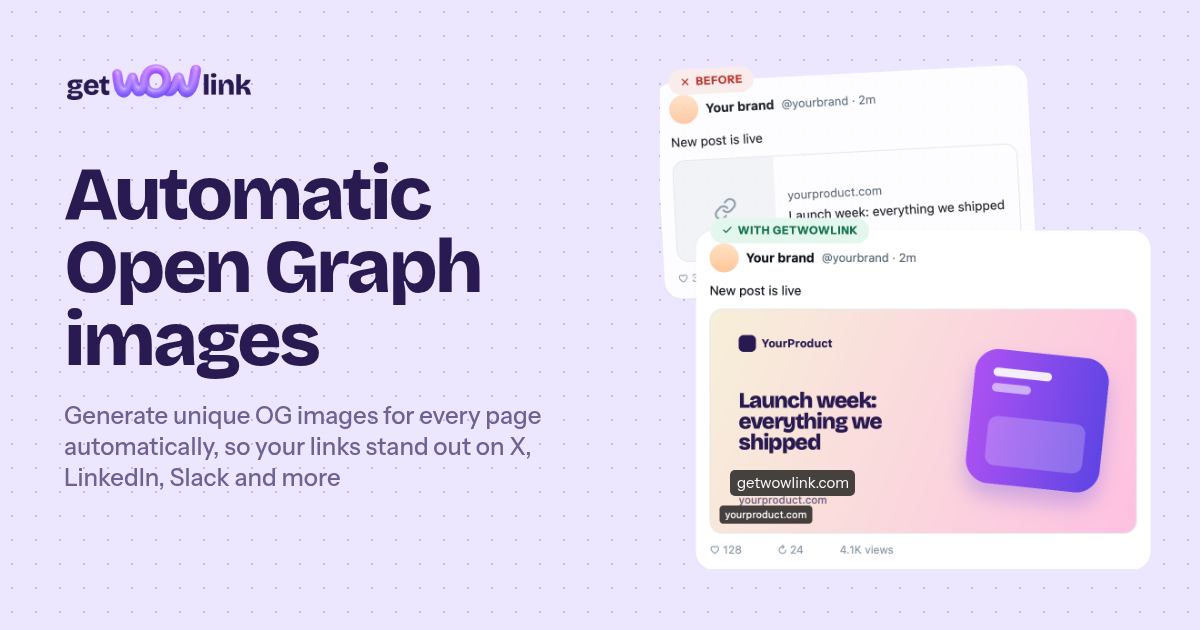
getwowlink starts free for 1 site and 100 pages with generated images, then costs $7/mo on Indie and $19/mo on Pro. OpenGraph.xyz is a free single-link preview and debug tool: you paste one URL, inspect its meta tags, and generate one image at a time. The difference is automation at scale — getwowlink builds a separate OG image for every page from that page's own title and photo using one template, and new pages get their image automatically. OpenGraph.xyz remains a useful free checker for one-off debugging.
Feature comparison matrix
| Feature | getwowlink | OpenGraph.xyz | Why it matters |
|---|---|---|---|
| OG image generation model | One template generates a unique image per page from that page's title and photo | One image generated per URL you paste in | Per-page images mean every shared link looks distinct instead of repeating one site-wide card. |
| Template editor | Figma-like visual editor plus AI-drafted template from a prompt | Form-based inputs for a single image | A reusable template is what makes hundreds of pages look consistent without manual work. |
| Automation for new pages | New pages get an image automatically on publish | Manual: you paste each new URL when you want to check or generate | Automation removes the step people forget, so no page ships with a missing or default image. |
| CMS and framework connections | WordPress, Ghost, Webflow, Next.js, PHP, plain HTML | Web-based tool, no CMS or framework integration | Native connections mean images are generated where your content already lives. |
| Link preview checker | Free checker for X, LinkedIn, Facebook, Slack, WhatsApp | Preview and meta tag debugging for a pasted URL | Checking how a card renders per platform catches platform-specific truncation before you publish. |
| Scale of image output | Up to 100 pages with images on the free plan, more on paid plans | One-off, per-URL generation | Volume pricing matters once a site has hundreds of posts, products, or docs pages. |
| Pricing model | Free (1 site, 100 pages), Indie $7/mo, Pro $19/mo | Free tool | A free tool costs nothing in dollars but costs time per page at scale. |
| Best-fit job | Ongoing, site-wide OG image generation | Quick single-link preview and debugging | These solve different jobs, which is why many teams keep both. |
Why teams switch from OpenGraph.xyz to getwowlink
OpenGraph.xyz is a solid free tool for what it does: you paste a URL, it shows you the meta tags, and you can generate one image for that link. Teams do not leave it because it is broken. They leave it because the job changed from checking one link to covering an entire site, and the manual loop stops scaling. Here are the concrete reasons buyers give.
Per-page images instead of one card. getwowlink generates a separate OG image for every page from that page's own title and photo. A 300-post blog gets 300 distinct cards. With a one-URL tool, you either reuse one site-wide image or run the manual loop 300 times.
New pages are covered automatically. When you publish in WordPress, Ghost, Webflow, Next.js, PHP, or plain HTML, the new page gets its image without anyone pasting a URL. The most common cause of a broken social card is simply that someone forgot to generate one.
One template, designed once. You build the layout in a Figma-like editor, or draft it with AI from a prompt, and every page inherits it. Changing the logo or font is one edit, not a re-run of every image.
The price is small and fixed. Free covers 1 site and 100 pages with images. Indie is $7/mo and Pro is $19/mo. For a 500-page site, Indie is about $84 a year — less than an hour of a designer's time at most agency rates.
Platform-specific checking is built in. The free link preview checker shows how a card renders on X, LinkedIn, Facebook, Slack, and WhatsApp, so you catch truncation and wrong-image issues before publishing rather than after a campaign goes out.
None of this makes OpenGraph.xyz a bad tool. It makes it a different tool for a different scale.
Deep dive: per-page image generation vs one-off generation
The core difference is what counts as a unit of work. In OpenGraph.xyz, the unit is one URL you paste. In getwowlink, the unit is your site, and images are produced for pages as they exist or get published.
What per-page generation actually produces
Each image is composed from that page's own data — its title and its photo — inside one shared template. That means a product page shows the product name and product shot, a blog post shows the post title and its hero image, and a docs page shows the doc title. The template keeps them visually consistent; the page data keeps them distinct.
Why distinct cards matter for click-through
When every link on a site shares one image, readers learn to ignore it. A feed of ten links from the same domain all showing the same card reads as one repeated item. Distinct per-page images give each link its own visual identity, which is the entire point of an OG image.
Where the manual loop breaks down
Volume: at 50 pages, pasting URLs is annoying; at 500, it is a project.
Timing: manual generation happens after publish, if at all, so early shares show a default card.
Consistency: images generated one at a time drift in layout, font size, and crop unless someone enforces the template every time.
Maintenance: a rebrand means regenerating everything by hand.
Deep dive: the template editor and AI drafting
getwowlink's template is the asset that makes the rest work. You design it once in a Figma-like editor — layers, text, images, background — or describe what you want and let AI draft a starting point. Then every page's image is rendered through that template with that page's content.
Design once, apply everywhere
Change the font, swap the logo, adjust padding: one edit propagates to every generated image. With one-off generation, the same change means redoing each image individually, and any image you miss keeps the old design.
AI drafting shortens the blank-page problem
If you do not have a designer available, an AI-drafted template gives you a usable layout to refine rather than an empty canvas. It is a starting point, not a final brand system, but it removes the first hour of work.
Dynamic fields do the personalization
The template references page-level fields — title, image, and similar — so the same layout produces different output per page. This is what separates a template from a static image: the layout is fixed, the content is not.
Deep dive: integrations and the free preview checker
Automation only helps if it lives where you publish. getwowlink connects to WordPress, Ghost, Webflow, Next.js, PHP, and plain HTML, so image generation happens as part of publishing rather than as a separate chore.
What the connections change
WordPress and Ghost: new posts get images on publish, no dashboard visit required.
Webflow: CMS items are covered as they are added.
Next.js: fits sites that generate pages at build or request time.
PHP and plain HTML: covers older or hand-rolled sites that still need social cards.
The free link preview checker
Separately from generation, getwowlink includes a free checker for X, LinkedIn, Facebook, Slack, and WhatsApp. Paste a URL and see how the card renders on each platform. This is the same job OpenGraph.xyz does well, and it is free here too — the difference is that it sits next to the generation system, so you can check the image you just generated rather than checking an image you made elsewhere.
Why platform-by-platform checking matters
Platforms crop and truncate differently. A title that fits on LinkedIn may clip on X; a square image may letterbox on Slack. Checking each target before publishing avoids the common failure where a card looks fine in one place and broken in another.
Who getwowlink is actually for
This is not a tool for everyone. It fits teams with a site large enough that per-page images are a real workload.
Scenario 1: a content site with hundreds of posts
A blog or news site publishing several times a week accumulates hundreds of URLs. The editor wants every post to have a distinct card without adding a step to the publishing workflow. getwowlink's WordPress or Ghost connection handles it on publish; the free plan covers the first 100 pages, and Indie at $7/mo covers the rest.
Scenario 2: an e-commerce or marketplace catalog
Product pages need cards showing the product name and product photo. Doing that by hand for a catalog of hundreds or thousands of SKUs is not realistic. A template with dynamic title and image fields generates them at scale, and new products are covered as they are listed.
Scenario 3: a marketing team running multi-platform campaigns
When the same link goes out on X, LinkedIn, Slack, and WhatsApp, the team needs to know it renders correctly everywhere and that each page has its own image. The checker plus automated generation covers both halves in one place.
Who should stay on a one-off tool
If you have a handful of pages, or you only need to debug a single link's meta tags occasionally, a free one-URL tool is sufficient and costs nothing. The switch is justified by volume and by wanting new pages covered automatically.
How to migrate from OpenGraph.xyz to getwowlink
The migration is short because there is little to move — the work is setting up the template and the connection, then letting generation run.
Sign up and add your site. Create a free getwowlink account and add the site you want covered. The free plan supports 1 site and 100 pages with images, which is enough to validate the output before paying.
Build or draft the template. Design the layout in the Figma-like editor, or describe it and let AI draft a starting point. Set the dynamic fields — title and image — to pull from each page.
Connect your platform. Choose WordPress, Ghost, Webflow, Next.js, PHP, or plain HTML and connect it so new pages generate images on publish.
Generate existing pages. Run the existing URLs through generation so your back catalog gets per-page images rather than the old shared card.
Check the output per platform. Use the free link preview checker on X, LinkedIn, Facebook, Slack, and WhatsApp to confirm titles and images render correctly.
Upgrade when you pass the free limits. Move to Indie at $7/mo or Pro at $19/mo when you exceed 1 site or 100 pages.
Keep OpenGraph.xyz for quick one-off checks if you like it. There is no conflict in using both; the free checker here covers the same need.
Published with Alt Hunt, where we track tools like this side by side.
Pricing breakdown
| Plan | getwowlink | OpenGraph.xyz |
|---|---|---|
| Free tier | 1 site, 100 pages with images, free link preview checker | Free, single-URL preview and image generation |
| Entry paid | Indie — $7/mo | No paid tier |
| Team / scale | Pro — $19/mo | No paid tier |
| Cost for a 500-page site | $7/mo on Indie (about $84/yr), images generated automatically per page | $0 in license cost, but 500 manual paste-and-generate cycles |
Illustrative pricing — verify current figures before relying on this.
Ready to try getwowlink?
Visit getwowlink.comMore alternatives
All OpenGraph.xyz alternativesCommunity Discussions & Reviews
Real feedback from verified buyers, founders, and engineering teams using these products.