



Baby AI Photoshoot alternative to Remini: Dedicated Baby Studio Portraits vs General Photo Enhancement
Updated 19 Nov 2026
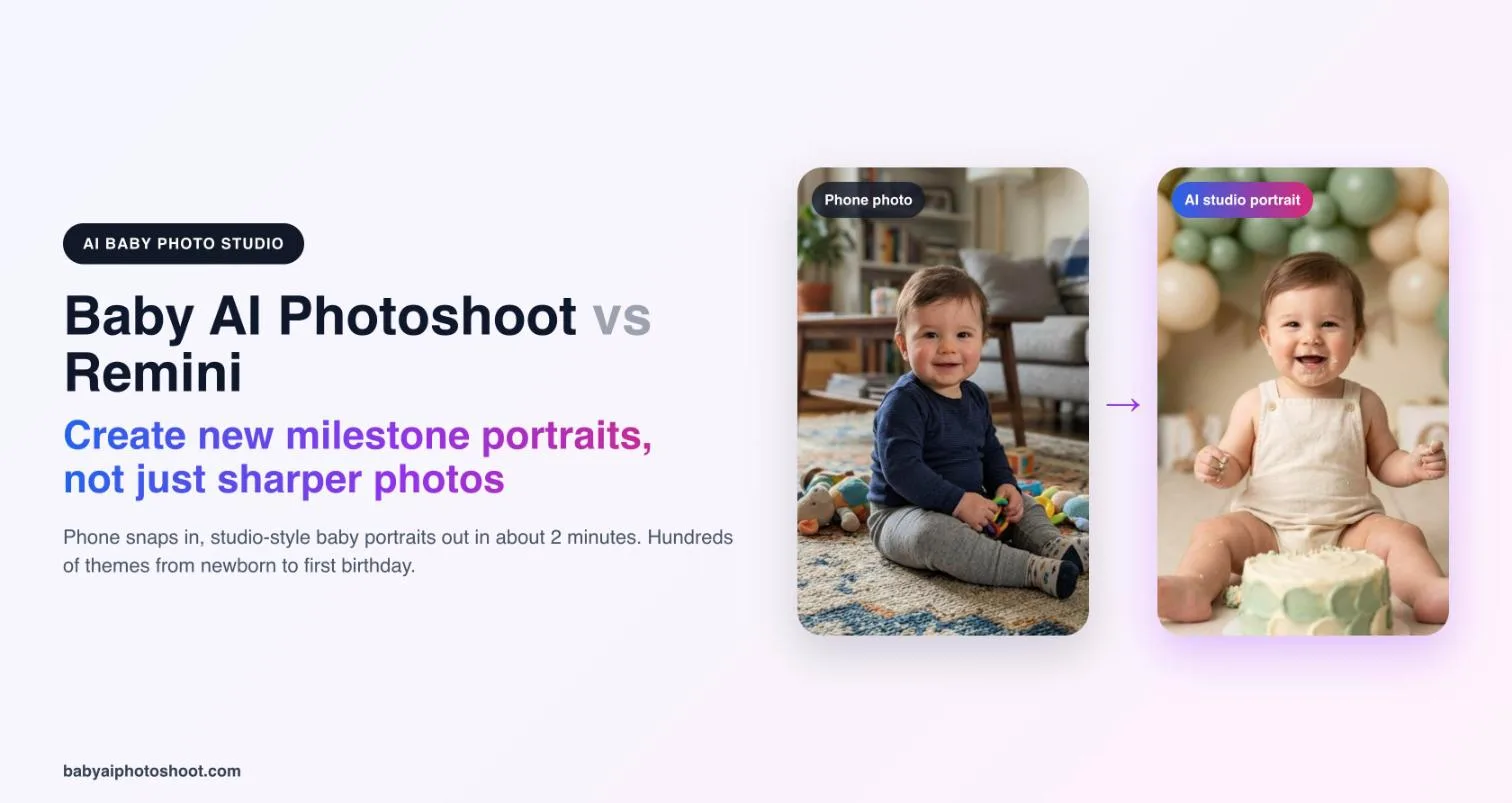
Baby AI Photoshoot is a baby-only AI studio: upload a few phone photos, a private model learns your baby's face, and you get milestone portraits in about 2 minutes, with plans from $14.90/month (yearly $11.90/month) and a one-time custom model from $9.99. Remini is a general AI photo enhancer for all ages, used by 100M monthly active users, that upscales and restores existing photos rather than generating themed baby milestone shoots. Choose Baby AI Photoshoot for newborn-to-first-birthday themed portraits and short AI baby videos; choose Remini to sharpen or restore photos you already have.
Feature comparison matrix
| Feature | Baby AI Photoshoot | Remini | Why it matters |
|---|---|---|---|
| Primary purpose | Dedicated baby photoshoot studio generating milestone portraits from phone snaps | General AI photo and video enhancer that transforms old photos into HD masterpieces | Different jobs: generation of themed baby portraits vs enhancement of existing images. |
| Age focus | Babies and toddlers, with milestone stages from newborn to first birthday | All ages and all photo types | Baby AI Photoshoot is purpose-built for baby milestones; Remini is a general-purpose tool. |
| How it works | Upload snaps, a private model is trained on your baby's face, then pick a template | Upload a photo and the enhancer upscales and restores detail | Ours creates new themed scenes; Remini improves the photo you already have. |
| Themed studio scenes | 500+ themes including newborn, monthly milestones, cake smash, first birthday, holidays and Christmas cards | Enhancement filters and generative AI tools, not baby milestone studio sets | Theme library is specific to baby milestone photography. |
| Output formats | High-res portraits plus short AI baby videos for sharing | Enhanced photos and video enhancement | Both output photos and video, but ours are generated milestone scenes. |
| Turnaround | Portraits ready in about 2 minutes per portrait | Enhancement processed in-app after upload | Ours includes model training on the baby's face before rendering. |
| Free access | Free AI tools and free welcome credits, no credit card needed | Free app access with ads; paid membership unlocks all features | Both offer free entry points; Remini's free tier is ad-supported per user reviews on its site. |
| Failed render policy | Failed renders are refunded automatically in credits | No equivalent credit-refund policy stated on the site | Check current terms on each site before purchasing. |
Why buyers switch from Remini to Baby AI Photoshoot
Most people who arrive at Baby AI Photoshoot already have Remini installed on their phone. Remini is a genuinely popular tool — the site reports 100M monthly active users, 15M monthly downloads, and 5B enhanced photos and videos — and it does one job extremely well: taking an existing image and sharpening it into something that looks HD. But a parent planning a first birthday shoot is not trying to rescue a blurry photo. They are trying to create a themed, studio-style portrait that does not exist yet. That gap is the reason this comparison exists, and it is why buyers move from a general enhancer to a dedicated baby studio product. Here are the concrete reasons, drawn from what each site actually publishes.
Enhancement versus generation. Remini's own description frames the product as a way to "transform your old photos into HD masterpieces." The input is a photo you already have, and the output is a cleaner version of that same photo. Baby AI Photoshoot starts from ordinary phone snaps and generates new images: a cake smash setup, a newborn swaddle scene, a monthly milestone portrait. Nothing in Remini's published feature set describes themed baby studio generation, and nothing in Baby AI Photoshoot's published feature set describes restoring old family photos. Buyers switch when they realize they need the second job, not the first.
A private model trained on one baby's face. Baby AI Photoshoot trains a custom AI image model on your baby's photos so that, in the site's words, "every portrait keeps their real face." That model is tied to a specific child and reused across themes. Remini's enhancement pipeline works per-photo. For a parent who wants twelve monthly portraits that all clearly show the same child, a persistent trained model is a different category of tool from a per-image filter.
Baby-specific structure, not a general editor. Baby AI Photoshoot publishes 4 milestone stages covering 1 to 12 months, from newborn swaddles through tummy time to the 12-month first birthday setup. It also lists hundreds of studio scenes and themes, plus short AI baby videos built for sharing. Remini is deliberately age-agnostic — it enhances photos of anyone and anything. A general editor gives you no milestone framework, no age-stage credit structure, and no baby-specific scene library.
Predictable output time and a family-friendly price anchor. Baby AI Photoshoot states portraits are ready in about 2 minutes per portrait, and positions plans from $14.90 against a stated $500+ studio cost, with a claimed $300–$800 saving versus traditional studio sessions. Remini's membership pricing is not published on its site, so a buyer comparing total cost of ownership has one clearly itemized option and one they have to go find in the app store.
None of this makes Remini a bad product. It makes it a different product. The switch happens when the job to be done changes from "make this photo sharper" to "create the portrait I never booked a studio for."
Try Baby AI Photoshoot — start free
Feature deep-dive 1: a trained, reusable baby model versus per-photo enhancement
This is the single most important technical difference between the two products, and it drives almost every downstream difference in workflow, cost, and output consistency.
How the Baby AI Photoshoot model works
The workflow published on the site is three steps. First, you upload snaps — the site explicitly says it trains a model on your baby's face. Second, you pick a template from the studio scene library. Third, you receive portraits, with the site quoting roughly 2 minutes per portrait and high-res heirloom files you can download to your phone. The critical detail is that the model is a persistent asset. The pricing page lists "Your baby's model: 25 credits per age stage," which tells you the model is organized around developmental stages rather than around individual images. Once the model exists, generating a new theme is a rendering operation, not a retraining operation. The site also notes that better, more varied training photos improve results — a useful operational hint that the quality of your initial upload set matters more than the quantity of themes you try.
How Remini's enhancement model works
Remini's published positioning is enhancement: old photos in, HD masterpieces out. The site's feature navigation lists a Background Enhancer, a Low Quality Enhancer, a Video Enhancer, and Generative AI tools. Each of those is a per-asset operation — you bring one photo or one video, you get an improved version of it. There is no published concept of a persistent identity model trained on a specific person and reused across a themed scene library. That is not a criticism; it is simply a different architecture optimized for a different task. If your input is a 1998 family scan, per-asset enhancement is exactly right.
Why the difference matters for milestone work
Consider a parent building a first-year album. They need a newborn portrait, a 3-month tummy-time portrait, a 6-month sitting portrait, a 9-month crawling portrait, and a 12-month cake smash. With a per-photo enhancer, each of those requires an existing photograph of the child in roughly that pose and setting — which is precisely the thing most parents do not have, because they never booked the studio. With a trained model, the parent supplies a handful of everyday phone photos and the themed scenes are generated. Consistency across the album comes from the model rather than from luck with lighting on the day. That is the practical reason the trained-model approach wins for this specific job.
Failure handling and credit behavior
Baby AI Photoshoot publishes a clear policy: if a render fails on their side, the credit is returned automatically, and you can retry the same theme or pick another. That matters when you are spending credits on a model you are still tuning. It is a small operational detail, but it is the kind of thing that separates a purpose-built studio product from a general-purpose filter.
Feature deep-dive 2: scene library, milestone structure, and video output
The second major dimension is what you can actually make. Here the two products diverge sharply, because one is built around a content library and the other is built around an enhancement engine.
A baby-specific scene library
Baby AI Photoshoot publishes a themed studio library covering newborn swaddles, tummy time and awake smiles, artisan cookie numbers and knitted soft toys, cake smash, first birthday, holidays, and Christmas cards. The site references hundreds of studio scenes and custom prompts, and the maker notes confirm 500+ themes across newborn, monthly milestones, cake smash, first birthday, and holiday categories. There is also a custom scene and custom prompt path for parents who want something the library does not cover. For a parent planning a specific shoot — say, a 6-month portrait with knitted soft toys and cookie numbers — the scene already exists as a template.
Milestone structure from 1 to 12 months
The site publishes 4 milestone stages covering 1 to 12 months, with named setups including newborn swaddles, tummy time, sitting and little explorer, and the 12-month first birthday. This structure is doing real work: it turns a vague intention ("I should take more photos") into a checklist with a defined output per stage. The pricing model mirrors it, with the baby's model consuming 25 credits per age stage. A general photo enhancer has no equivalent structure because it has no concept of a child's developmental timeline.
Short AI baby videos
Baby AI Photoshoot also produces short AI baby videos — the pricing page frames the 100 monthly credits as up to 100 photos or 25 videos, and the site describes the videos as made for sharing. For grandparents and family group chats, a five-second moving portrait is a meaningfully different artifact from a still. Remini does publish a Video Enhancer, but that enhances an existing video rather than generating a themed baby video from a trained model. Again: different job.
Where Remini's breadth still wins
To be fair to Remini, its breadth is real. Background Enhancer, Low Quality Enhancer, Video Enhancer, and Generative AI tools cover a wide surface area, and the site's scale — 100M monthly active users, 15M monthly downloads, 5B enhanced photos and videos — reflects a product that millions of people find useful for general photo cleanup. If your need is restoring a scanned wedding photo or sharpening a group shot, Remini is the more direct route. The point is that breadth is not the same as fit.
Pricing compared
Pricing is where the two products are least comparable, because only one of them publishes a price on its website.
Baby AI Photoshoot pricing
The pricing page lists two plans. The Monthly plan is $14.90 per month billed monthly and includes 100 credits per month — up to 100 photos or 25 videos — plus your baby's model at 25 credits per age stage, all themes and custom scenes, credits that work across all AI tools, portraits ready in about 2 minutes, and free AI tools included. The Yearly plan is $11.90 per month, billed as $142.80 yearly, with the same 100 credits per month and the same inclusions, marketed as saving 20% versus monthly. Separately, the site advertises a one-time custom baby AI image model from $9.99, and states that plans start from $14.90. It also publishes a comparison anchor: a $500+ studio cost, with a claimed $300–$800 saving on traditional studio sessions versus its plans. Those savings figures are the vendor's own published claims, not independently measured results.
Free access on Baby AI Photoshoot
Free access is confirmed on the official site. The pricing section states: "Try our free AI tools first — no credit card needed. Cancel your plan anytime." The maker notes describe free welcome credits before paid credits begin. This is free basic access plus optional paid plans — not a single mandatory subscription. It is worth separating that from the site's "Featured On" and Product Hunt listings, which are promotional placements and have nothing to do with what a user pays.
Remini pricing
Remini's website does not publish plan prices — pricing not public on remini.ai. What the site does say is that a free tier exists with advertising: user commentary quoted on the site notes that "all amazing paid features can be enjoyed for free in return for viewing ads," and another quoted user mentions taking a premier membership. So the accurate description is: a free ad-supported experience plus a paid membership whose price is not published on the website. Because that number is not public, no honest side-by-side dollar comparison is possible here, and any article that prints one is guessing. The correct framing is that Baby AI Photoshoot publishes itemized plans at $14.90 monthly and $11.90 monthly on the yearly billing cycle, while Remini's membership cost has to be checked inside the app or store listing.
How to think about the comparison
Do not compare Remini's ad-supported free tier against Baby AI Photoshoot's paid plan as if they were equivalent purchases — they are different products with different outputs. Compare instead on cost per usable artifact. Baby AI Photoshoot's 100 monthly credits translate to up to 100 photos or 25 videos, with a stated 25-credit cost per age stage for the model. If you need a themed first-birthday portrait and you do not have a studio photo to enhance, the relevant comparison is Baby AI Photoshoot's plan against a real studio session, which the vendor anchors at $500+. If you need to sharpen an existing photo, Remini's free ad-supported tier may cover it at no cost.
Who this is actually for
Scenario 1: the parent who missed the newborn window
This is the most common case. A parent has a phone full of candid newborn photos — good enough for the family album, not good enough for a framed print — and the professional newborn session never happened, either because of cost, timing, or a difficult recovery. They are not looking to enhance those candids; they want the swaddle portrait that was never taken. Baby AI Photoshoot fits because the model is trained on the candids they already have and the newborn swaddle scene is a template, not a custom commission. The 25-credits-per-age-stage structure also means they can come back at 3, 6, 9, and 12 months without re-uploading from scratch. A general enhancer does not solve this problem at all, because there is no source image of the baby in a swaddle to enhance. Budget expectation: plans from $14.90, with the vendor claiming $300–$800 saved versus a traditional studio session.
Scenario 2: the family building a first-year album across four stages
A second group is organized rather than reactive. They have decided to document 1 to 12 months and want consistency — the same face, the same quality, a coherent set of themed portraits they can print and frame as a series. The published 4 milestone stages map directly onto that plan, and the trained model is what delivers the consistency. They will likely use the Yearly plan at $11.90 per month ($142.80 billed yearly) because the project runs twelve months and the yearly option is marketed as 20% cheaper than monthly. They will also care about the high-res download and the fact that, per the site, the portraits are theirs to download, print, frame, and share. This buyer is not a photo editor and does not want to be one; they want a repeatable pipeline with a defined output per stage.
Scenario 3: the team or studio handling client milestone shoots
A small photography-adjacent operation — a family content studio, a baby brand's social team, a milestone-card seller — needs themed baby imagery at volume without booking talent and sets for every concept. Baby AI Photoshoot's hundreds of themes, custom scenes, and custom prompts support concept testing before a real shoot, and the credit model (100 credits per month, up to 100 photos or 25 videos) is easy to forecast against a content calendar. The published support channel at support@babyaiphotoshoot.com and the automatic credit return on failed renders matter more to this buyer than to a parent, because failed renders are a line item. This buyer should note the licensing and consent posture: the site publishes a Photo Consent policy and Terms of Service, and the product is operated by Paper Street Labs LLC, which is the kind of detail a commercial team needs before putting generated portraits in front of clients.
Who should stay with Remini
Anyone whose actual task is restoration or cleanup — scanned family photos, low-light event shots, old video — should stay with Remini. Its published toolset is built for exactly that, and its free ad-supported tier makes casual use cheap. The switch to Baby AI Photoshoot only makes sense when the deliverable is a new, themed baby portrait rather than a better version of an existing photo.
Getting started with Baby AI Photoshoot
The migration path is short, but the order of operations matters because model quality is set early. Work through these steps in sequence.
Start with the free tools, no card required. The site states you can try the free AI tools first with no credit card needed. Use this pass to confirm the output style matches what you want before you commit to a plan.
Assemble a varied training set before you spend credits. The site is explicit that better, more varied training photos improve results. Gather a spread of everyday phone snaps — different angles, different lighting, awake and asleep — rather than ten near-identical frames. This is the highest-leverage step in the whole process.
Train the baby's model once. Upload the snaps and let the system train the model on your baby's face. The site's promise here is that every portrait keeps their real face, which is the whole reason for a dedicated model rather than a generic filter.
Pick your age stage and theme. Choose from the 4 published milestone stages covering 1 to 12 months, then select a scene — newborn swaddle, tummy time, cake smash, first birthday, holiday, or a custom prompt. Note that the model is priced at 25 credits per age stage, so plan your stage coverage against your credit balance.
Render and review at roughly 2 minutes per portrait. Download the high-res files to your phone. If a render fails on their side, the credit is returned automatically and you can retry the same theme or choose another.
Choose the billing cycle that matches your timeline. If you are documenting a full first year, the Yearly plan at $11.90 per month ($142.80 billed yearly) is marketed as 20% below monthly. If you are doing a single shoot, the Monthly plan at $14.90 with 100 credits is the simpler commitment, and the site notes you can cancel anytime.
Print, frame, and share. The site confirms the portraits are yours to download, print, frame, and share. For video output, remember the 100 monthly credits convert to up to 25 videos rather than 100 photos.
If anything goes wrong, the published support address is support@babyaiphotoshoot.com, and the site notes that payments are not refundable except where the law requires, with failed renders refunded automatically as credits. Before you commit, it is worth reading the Photo Consent and Privacy Policy pages, particularly if you are generating images of a child for commercial use. And if you are still weighing which tool fits which job, the broader category breakdowns on AltHunt are a useful second opinion before you pick a plan.
Pricing breakdown
| Plan | Baby AI Photoshoot | Remini |
|---|---|---|
| Free access | Free AI tools plus free welcome credits, no credit card needed | Free app with ads; paid membership for all features |
| Monthly plan | $14.90/month billed monthly: 100 credits/month (up to 100 photos or 25 videos), baby's model at 25 credits per age stage, all themes | pricing not public |
| Yearly plan | $11.90/month, $142.80 billed yearly (save 20%): same 100 credits/month package | pricing not public |
| One-time custom model | Custom baby AI image model from $9.99 one-time | pricing not public |
Illustrative pricing — verify current figures before relying on this.
Ready to try Baby AI Photoshoot?
Visit babyaiphotoshoot.comMore alternatives
All Remini alternativesCommunity Discussions & Reviews
Real feedback from verified buyers, founders, and engineering teams using these products.