

Whenever (by Wix) alternative to Zapier: Run-Based Automation Without the Task Math
Whenever (by Wix) bills per workflow run, not per task. Hobby is $0 for 100 runs a month with one active workflow; Pro is $39/mo (or $29/mo billed yearly) for 10,000 runs, unlimited workflows, and every-minute schedules. Zapier meters tasks, where the number of tasks an action consumes can vary by connector, AI model tier, and code runtime. A run of 10 steps in Whenever counts as one run. That unit difference, plus 1,400+ integrations, any API with docs, and exportable TypeScript workflows, is the core of the comparison.
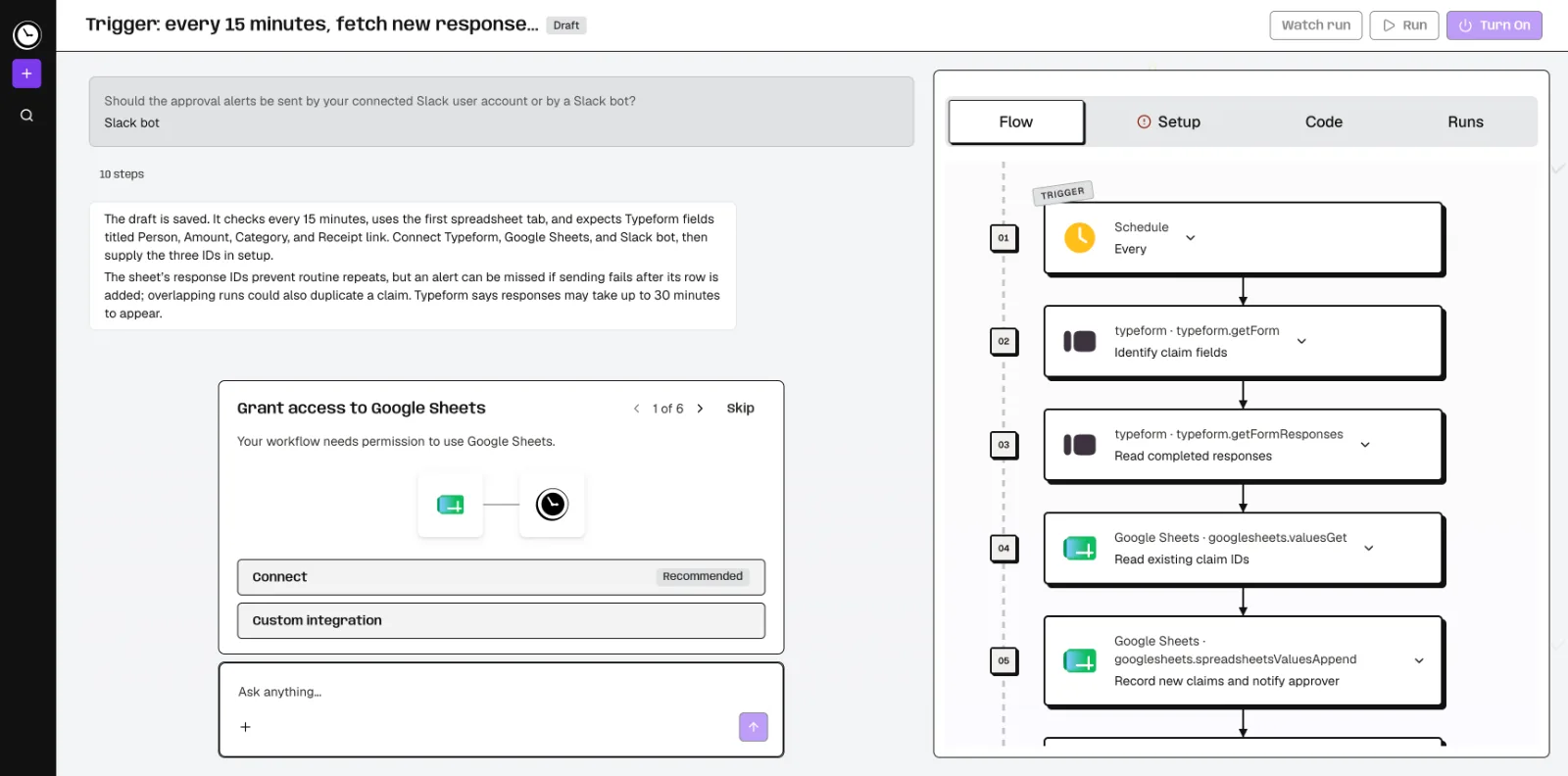
Feature comparison matrix
| Feature | Whenever (by Wix) | Zapier | Why it matters |
|---|---|---|---|
| Billing unit | One run per workflow execution, however many steps | Tasks; successful action usage, with variable task rates by connector, AI tier, and code runtime | A predictable unit makes it easier to forecast cost as workflows grow. |
| Triggers | Schedules, webhooks, app events or on demand | Triggers and filters do not consume tasks | On Whenever every started run counts, including a scheduled check that finds nothing new. |
| Runtime AI cost | AI steps draw on the plan's included AI spend ($1 on Hobby, $10 on Pro) | AI model tier, code runtime and connector type affect how many tasks an action uses | Budget AI steps on top of the base billing unit on either platform. |
| Workflow building | Describe the job in plain words; AI builds the workflow and asks about business rules | Visual editor plus Copilot for building and editing Zaps | Both offer AI-assisted building; the difference is in how the workflow is represented and run. |
| Execution model | AI writes it once, then code runs it. Code steps give the same output for the same input; AI steps and agent loops can vary. | Zaps combine actions, filters, paths, and JavaScript code steps | Deterministic execution matters when the same input must always produce the same output. |
| Integrations | 1,400+ integrations plus any API with docs | App actions, webhooks and code steps; check coverage for your apps | Check that your specific apps are covered on both sides before migrating. |
| Run logs | Every run and step logged (7 days on Hobby, 30 on Pro), with an email when a run fails. | Zap history lets you select a run and its version | Log retention length affects how far back you can debug. |
| Portability | Each workflow is an exportable, readable TypeScript module; build in-app or over MCP from Cursor, Claude Code, or Codex | Account-data export includes Zapfile.json with Zap steps | Export format determines how much work it is to move or version-control workflows. |
Why buyers actually switch from Zapier to Whenever (by Wix)
Most teams don't leave Zapier because something is broken. They leave because the billing unit stops matching how they think about automation. Here are the concrete reasons that come up most often.
The unit is a whole run, not a task. Whenever meters one run per workflow execution, no matter how many steps are inside it. A 12-step workflow that fires 500 times a month is 500 runs. On a task-metered platform, the same workflow can consume a different number of tasks depending on which connectors, AI tiers, and code steps are involved. That variance is the thing teams want to eliminate.
Deterministic execution is a first-class option. Whenever's model is: AI writes the workflow once, then code runs it. For fixed, non-AI logic with the same inputs and dependencies, the published code runs the same way every time. Optional AI steps let you insert a model call at a specific point without making the whole workflow non-deterministic. Full agents run as a step where the job needs judgment. For finance, ops, and compliance workflows, reproducibility is the requirement, not a nice-to-have.
Workflows are exportable TypeScript modules. Each workflow can be exported as readable TypeScript. That means version control and code review.
Build from your editor over MCP. Whenever supports building over MCP from Cursor, Claude Code, or Codex, in addition to the in-app builder. Teams already working in those tools don't have to context-switch.
Every-minute schedules on Pro. Hobby runs hourly schedules; Pro unlocks every-minute schedules, which matters for near-real-time ops like order routing or lead assignment.
Logs cover every run and step. Hobby keeps 7 days; Pro keeps 30 days, and you get an email when a run fails. When something fails at step 9 of 14, you can see exactly which step and which input.
None of this makes Zapier a poor product. It makes it a different product with a different unit of account. The question is which unit matches your workload.
Deep dive: run-based billing vs task-based billing
This is the difference that shows up on the invoice every month, so it deserves its own section.
How Whenever counts
Whenever bills per run. A run is one execution of one workflow, from trigger to completion. If your workflow has a trigger, three filters, two API calls, a branch, and a final write-back, that is one run. Hobby includes 100 runs per month. Pro includes 10,000 runs per month at $39/mo, or $29/mo billed yearly. Enterprise is contact-us.
How Zapier counts
Zapier bills in tasks. Tasks are successful action usage, with exceptions and variable rates. Triggers, filters, and listed built-ins do not consume tasks. But AI model tier, code runtime, and connector type can affect how many tasks an action uses. That means the same logical workflow can cost a different number of tasks depending on which apps and steps you choose.
Why the unit matters more than the headline price
A task count is not a workflow-run price, and a different unit does not by itself prove a lower bill. The honest way to compare is to take your three busiest workflows, count their monthly executions, and map each one to both units. If your workflows are long and step-heavy, run-based billing tends to be easier to forecast. Whenever's advantage is predictability: the number of runs you'll use is the number of times your workflow fires. AI steps also draw on the plan's included AI spend ($1 on Hobby, $10 on Pro).
Deep dive: deterministic execution and exportable TypeScript
Whenever's tagline is "If you can explain it, you can automate it." The mechanism behind that is worth understanding before you switch.
AI builds, code runs
You describe the job in plain words. The AI builds the workflow and asks about business rules: the edge cases, the thresholds, the exceptions. Once built, the workflow runs as code. For fixed, non-AI logic with the same inputs and dependencies, the published code runs the same way every time. Optional AI steps let you insert a model call at a specific point without making the whole workflow non-deterministic. You can choose deterministic flows, optional AI steps, or full agents, but the deterministic path is always available.
Why determinism is a switching reason
Zapier's Zaps combine actions, filters, paths, and JavaScript code steps, and Copilot helps build and edit Zaps. So AI-assisted building is not exclusive to Whenever. The difference is in what runs afterward. If your workflow must produce the same output for the same input, as in invoice matching, refund routing or compliance checks, a deterministic execution model removes a class of debugging you'd otherwise do in production.
Exportable TypeScript modules
Every Whenever workflow is an exportable, readable TypeScript module. Zapier's account-data export includes Zapfile.json with Zap steps. Both give you an export, but the formats serve different purposes. A TypeScript module can go into your repo, go through code review, and be tested. That is the practical difference for engineering-led teams.
Building over MCP
Whenever supports building in the app or over MCP from Cursor, Claude Code, or Codex. If your team already lives in those editors, the workflow builder is one more tool in the same window rather than a separate tab.
Deep dive: integrations, triggers, and logs
Switching is only worth it if the coverage holds up. Here is what to check.
Integrations
Whenever offers 1,400+ integrations plus any API with docs. Zapier has a large app directory, and the exact count changes over time. Before migrating, list every app in your three busiest workflows and confirm each one on both sides. For anything not in the directory, Whenever's any-API-with-docs path is the fallback.
Triggers
Whenever supports schedules, webhooks, app events and on-demand triggers. Hobby runs hourly schedules; Pro unlocks every-minute schedules. If your workflow needs to fire on a webhook from your own app, that is supported without a connector.
Logs
Every run and step is logged, with an email when a run fails. Hobby keeps 7 days; Pro keeps 30 days. Zapier's Zap history lets you select a run and its version. Both give you run-level visibility; compare how far back each lets you trace a failure.
Who this is actually for
Whenever is not the right fit for every team. Here are the three profiles where it fits best.
Scenario 1: The ops team with long, step-heavy workflows
A 15-person operations team runs order routing, refund handling, and vendor sync. Each workflow has 8 to 20 steps. On a task-metered platform, the monthly task count is hard to forecast because connector and code-step rates vary. On Whenever, 10,000 runs at $39/mo covers 10,000 executions regardless of step count. The team can forecast from execution volume alone.
Scenario 2: The engineering-led team that wants workflows in the repo
A product team already uses Cursor and Claude Code. They want automations reviewed like code, not clicked together in a canvas. Whenever's exportable TypeScript modules and MCP-based building fit that workflow directly.
Scenario 3: The compliance-sensitive workflow
A finance team needs the same input to produce the same output every time. Fixed code steps give them that for non-AI logic with the same inputs and dependencies, while still allowing an AI step where judgment is genuinely needed.
Migration walkthrough: moving a workflow from Zapier to Whenever
Migration is a workflow-by-workflow job, not a big-bang cutover. Here is the sequence that works.
Step 1: Inventory your Zaps
Export your Zapier account data, which includes Zapfile.json with Zap steps. List every Zap, its trigger, its actions, and its monthly execution count. Rank by execution volume.
Step 2: Pick the top three by volume
Don't migrate everything. Start with the three Zaps that fire most often. These are where the billing-unit difference shows up first and where a mistake is most visible.
Step 3: Describe each workflow in plain words
In Whenever, describe the job in plain words. The AI builds the workflow and asks about business rules. Answer the edge-case questions carefully. This is where the deterministic behavior gets defined.
Step 4: Verify integration coverage
Confirm each app in the workflow is in the 1,400+ integrations or reachable via any API with docs. For webhook triggers, wire the source directly.
Step 5: Run both in parallel for one cycle
Keep the Zapier Zap live and run the Whenever workflow alongside it for one billing cycle. Compare outputs run by run using the logs. Hobby keeps 7 days; Pro keeps 30 days, so use Pro if your cycle is longer than a week.
Step 6: Export and commit
Once the workflow matches, export it as a TypeScript module and commit it to your repo. This is your rollback artifact and your documentation.
Step 7: Turn off the Zap and repeat
Disable the Zapier Zap, then move to the next three. Published with Alt Hunt.
Pricing breakdown
| Plan | Whenever (by Wix) | Zapier |
|---|---|---|
| Free entry | Hobby: $0, 100 runs/mo, 1 active workflow, hourly schedules, $1 included runtime AI spend | |
| Paid entry | Pro: $39/mo, or $29/mo billed yearly: 10,000 runs/mo, unlimited workflows, every-minute schedules, $10 included runtime AI spend | |
| 10,000 runs/month | Pro: $39/month, or $29/month billed yearly | |
| Enterprise | Contact us |
Illustrative pricing — verify current figures before relying on this.
Ready to try Whenever (by Wix)?
Visit whenever.devCommunity Discussions & Reviews
Real feedback from verified buyers, founders, and engineering teams using these products.