

Whenever (by Wix) alternative to n8n: Describe the Workflow, Own the Code
Whenever (by Wix) and n8n both bill per execution, so the real difference is how you build and own workflows. Whenever lets you describe the job in plain words; AI drafts the workflow, asks about business rules, then writes it as a readable, exportable TypeScript module whose code steps give the same output for the same input. n8n uses a node canvas with code nodes and an AI Workflow Builder, and exports workflow JSON. Whenever's Hobby plan is $0 with 100 runs/month and 1 active workflow; Pro is $39/month or $29/month billed yearly with 10,000 runs/month and unlimited workflows.
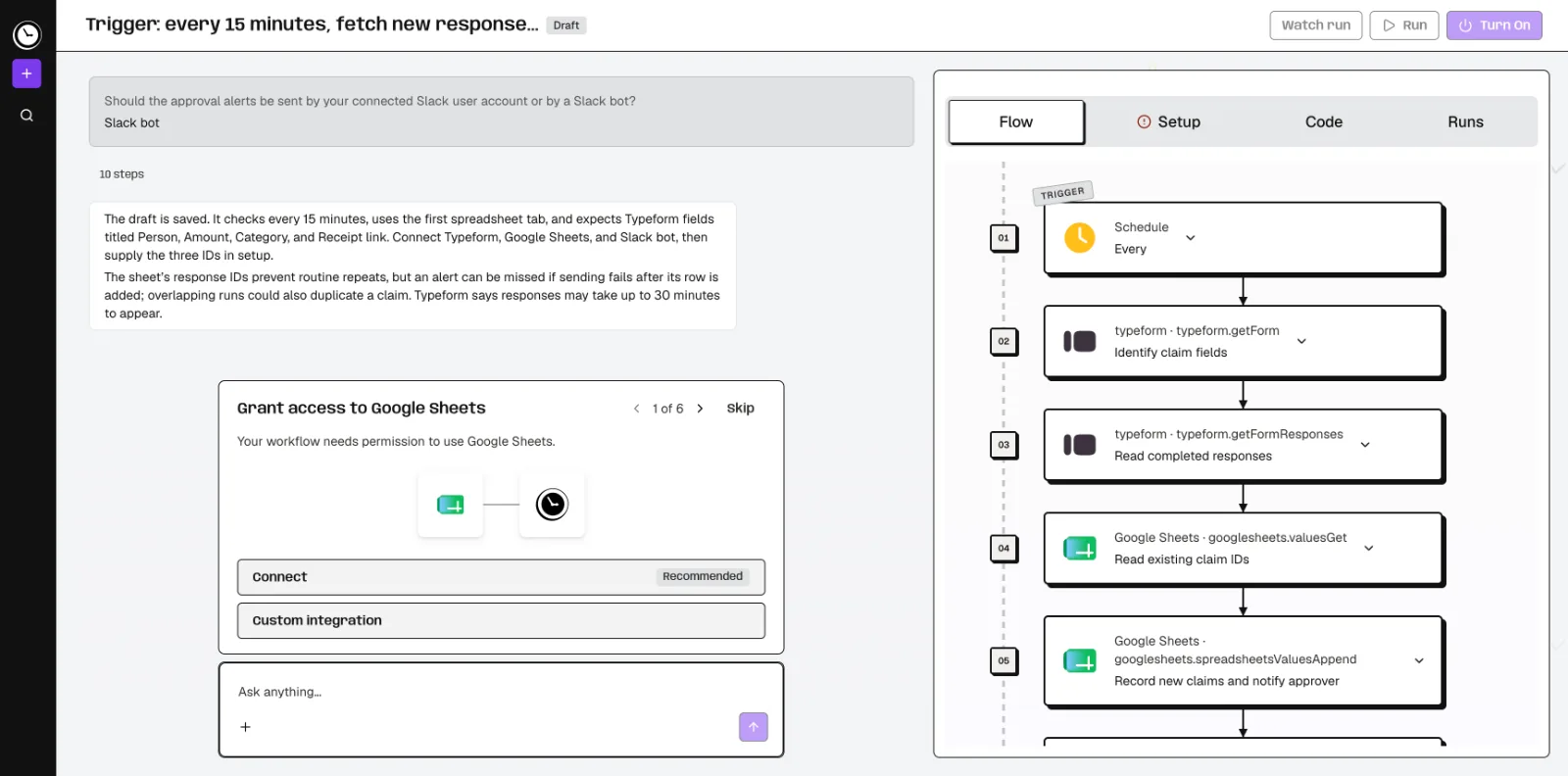
Feature comparison matrix
| Feature | Whenever (by Wix) | n8n | Why it matters |
|---|---|---|---|
| Primary build method | Describe the job in plain words; AI builds the workflow and asks about business rules. | Visual node canvas; AI Workflow Builder also available. | Describing the job removes the need to translate business logic into nodes and connections. |
| Workflow output format | Readable, exportable TypeScript module per workflow. | Workflow JSON. | TypeScript is code your team can read, review, version, and take with you. |
| Execution model | AI writes it once, then code runs it. Code steps give the same output for the same input; AI steps and agent loops can vary. | Node-based execution with code nodes and AI steps. | Fixed code steps make outputs reproducible and easier to audit. |
| Hosting | Fully hosted, no server to run | n8n Cloud, or a self-hosted Community Edition | Self-hosting runs on your own infrastructure and adds ops work. |
| Integrations | 1,400+ integrations plus any API with docs. | Prebuilt nodes plus HTTP Request and Code nodes. | Coverage for both cataloged apps and custom APIs matters for real production workflows. |
| Build from external AI tools | Build in the app or over MCP from Cursor, Claude Code, or Codex. | n8n editor, with its AI Workflow Builder to help create and refine workflows. | MCP support lets developers stay in the IDE they already use. |
| Run logging retention | Every run and step logged (7 days on Hobby, 30 on Pro), with an email when a run fails. | Executions can be copied into the editor with pinned data for debugging. | Step-level logs make it easier to see why a run did what it did. |
| Pricing unit | Per run, not per step. | Per execution. | Both bill per run, so compare on build speed, power, and ownership rather than price unit. |
Why buyers actually switch from n8n to Whenever (by Wix)
Most teams evaluating n8n already know it is a capable workflow builder. The switch to Whenever (by Wix) usually comes down to three concrete gaps: how the workflow gets built, what you own when it is done, and how predictable the runs are. Here are the specific reasons buyers cite.
Building by description instead of by canvas. In n8n you assemble a node graph: pick a trigger, drag integration nodes, wire branches, and configure each node's fields. Whenever starts from a plain-language description of the job. The AI drafts the workflow and asks about business rules, such as what should happen when an invoice amount exceeds a threshold, or which records should be skipped. You answer in words, not by adding a branch node. For teams without a dedicated automation engineer, that removes the biggest time sink: translating a process into a graph.
You own readable TypeScript, not workflow JSON. Every Whenever workflow is an exportable, readable TypeScript module. That means your engineers can open it in an IDE, review it in a pull request, and keep it in version control like any other code. n8n workflows export as workflow JSON, which is portable within n8n but is not application code your team would maintain directly. If your organization requires code review for anything that touches production data, TypeScript export changes the conversation from "who owns this canvas?" to "who reviewed this module?"
Code steps: same input, same output. Whenever's model is that AI writes the workflow once, then code runs it. For fixed, non-AI logic with the same inputs and dependencies, the published code runs the same way every time. Optional AI steps let you insert a model call at a specific point without making the whole workflow non-deterministic. You can also run full agents as a step, but the default is reproducibility. That matters for finance reconciliations, order routing, and any process where an auditor may ask why a specific record took a specific path. A deterministic run with logged steps gives a clear answer.
1,400+ integrations plus any API with docs. Whenever ships 1,400+ integrations and can call any API that has documentation. That covers the common SaaS stack and the long tail of partner and niche APIs, without waiting for a dedicated connector.
Build from Cursor, Claude Code, or Codex over MCP. Developers can create and edit workflows over MCP from the tools they already use. n8n's AI Workflow Builder lives inside n8n; Whenever lets the build happen in your IDE and keeps the output as code.
Deep dive: describe-to-build vs. the node canvas
The node canvas is n8n's core interface, and it is a good one for people who think visually. Every step is a node, every connection is an edge, and the shape of the workflow is visible at a glance. The cost is that the canvas is the source of truth: to change behavior, someone has to open the editor, find the right node, and adjust configuration. On a 40-node workflow with branches, that is real work, and it is work that only people fluent in the canvas can do safely.
What description-first looks like in practice
With Whenever, you describe the job: "When a Stripe payment fails, check the customer's plan, retry once, and if it fails again, create a ticket in Linear and notify the account owner in Slack." The AI builds the workflow and asks about the rules it needs: retry timing, which plan tiers are exempt, who the account owner is. You answer in plain language. The output is a TypeScript module you can read line by line.
Where each approach fits
If your team already has automation specialists who prefer a visual canvas and want to see the graph, n8n's model is familiar. If your team is developers and operators who can explain a process but do not want to maintain a graph, description-first removes a translation step. The two are not mutually exclusive in concept, but they produce different artifacts: a canvas versus a code module.
Deep dive: TypeScript ownership vs. workflow JSON
Ownership is the difference that shows up months later, when the person who built the workflow has moved teams. A Whenever workflow exports as readable TypeScript. That means:
Code review. Changes go through the same pull-request process as the rest of your codebase.
Version control. The exported module can live in Git with a diff history, not only in a platform's internal version list.
Portability. You can export the workflow as a readable TypeScript module rather than a JSON definition tied to one tool's schema.
Reviewability. Readable code makes it easier to check the logic against the original process.
n8n's workflow JSON is portable within n8n and importable into another n8n instance, which is useful for environment promotion. It is not, however, code your engineers would read to understand business logic. For teams where automation is part of the production codebase, that distinction drives the switch.
Deep dive: deterministic runs, optional AI, and full agents
Whenever does not force a choice between "no AI" and "all AI." You can build a fully deterministic flow, add AI steps where they help (classification, summarization, extraction), or build a full agent. The key property is that the AI writes the workflow once; after that, code runs it. For fixed, non-AI logic with the same inputs and dependencies, the published code runs the same way every time. Optional AI steps let you insert a model call at a specific point without making the whole workflow non-deterministic. Every run and every step is logged (7 days on Hobby, 30 days on Pro), with an email when a run fails, so when something looks wrong, you can trace the exact path.
Triggers and scheduling
Workflows run on schedules, webhooks, app events or on demand. Hobby includes hourly schedules; Pro includes every-minute schedules. That granularity matters for time-sensitive processes like payment retries or inventory syncs.
Runtime AI spend is included, not unlimited
Hobby includes $1 of runtime AI spend per month; Pro includes $10. AI building is free within weekly usage limits. Whenever bills per run, not per step. n8n also bills per execution, so the unit is the same; compare on ease, power and ownership.
Who this is actually for
Whenever (by Wix) fits teams that can explain a process and want code they own. Three concrete scenarios:
A 5-person ops team at a SaaS company. They have 20 recurring processes, such as lead routing, invoice checks and churn alerts, and no dedicated automation engineer. They can describe each process in a paragraph. With Whenever, the AI builds the workflow and asks about the rules; the team reviews the TypeScript export and ships. Hobby at $0 covers early testing with 100 runs/month and 1 active workflow; Pro at $29/month billed yearly covers 10,000 runs/month and unlimited workflows.
A platform engineering team that already uses Cursor or Claude Code. They want automation to live in the same repo and review flow as their services. Building over MCP from their IDE, with TypeScript modules as output, means no context switch and no separate canvas to maintain.
A regulated or audited environment. Finance and healthcare teams need to explain why a record took a path. Deterministic code steps with step-level logging (30 days on Pro) and readable code give auditors something concrete to review.
Migration walkthrough: from n8n to Whenever
Migration is a workflow-by-workflow process, not a big-bang cutover. A practical sequence:
Inventory your n8n workflows. List each one, its trigger type, its integrations, and its business rules. Flag the ones with the most branches; those benefit most from description-first building.
Start with one high-value workflow. Pick a process that is well understood and has clear rules. Describe it in Whenever in plain language, including the edge cases you know about.
Answer the AI's rule questions. Whenever will ask about thresholds, exceptions, and routing. This is where tribal knowledge gets written down, so treat it as documentation, not just configuration.
Review the TypeScript export. Read the generated module, check the logic against the original n8n workflow, and commit it to version control.
Run both in parallel for a defined period. Use the same inputs and compare outputs. Whenever's run logs (7 days on Hobby, 30 days on Pro) make this comparison straightforward.
Cut over and retire the n8n workflow. Once the parallel run matches, disable the old workflow and keep the export as a reference.
Repeat for the next workflow. With Pro's unlimited workflows and 10,000 runs/month, you can migrate at your own pace without a per-workflow cap.
Or skip the rewrite: give the n8n workflow JSON to Claude Code, Codex or Cursor with the Whenever skill, and it converts and deploys it.
For teams that want a side-by-side view of how automation platforms compare on build model, ownership, and pricing structure, this comparison is published with Alt Hunt, which tracks alternatives across the category.
Pricing breakdown
| Plan | Whenever (by Wix) | n8n |
|---|---|---|
| Free / entry | Hobby: $0, 100 runs/month, 1 active workflow, hourly schedules, $1 included runtime AI spend. | |
| Paid individual or small team | Pro: $39/month or $29/month billed yearly: 10,000 runs/month, unlimited workflows, every-minute schedules, $10 included runtime AI spend. | |
| 10,000 runs/month | Pro: $39/month, or $29/month billed yearly. | |
| Enterprise | Contact us. |
Illustrative pricing — verify current figures before relying on this.
Ready to try Whenever (by Wix)?
Visit whenever.devCommunity Discussions & Reviews
Real feedback from verified buyers, founders, and engineering teams using these products.