


Rig alternative to Herd: Why Teams Switch for $0 and Better Collaboration
Rig is free for unlimited users and projects, while Herd costs $99 per user per year after a 30-day trial. For a five-person team, that's $495 annually with Herd versus $0 with Rig. Rig also includes built-in team collaboration, cloud sync, and CI/CD integrations that Herd lacks. If you're paying for Herd, switching to Rig saves money and adds features without sacrificing local development speed.

Feature comparison matrix
| Feature | Rig | Herd | Why it matters |
|---|---|---|---|
| Pricing model | Free for unlimited users and projects | $99 per user per year after 30-day trial | Rig eliminates per-seat costs, making it scalable for teams of any size. |
| Team collaboration | Built-in shared environments and real-time sync | Not available | Rig enables multiple developers to work on the same project simultaneously without conflicts. |
| Cloud sync | Yes, automatic backup and sync across devices | No | Rig keeps your environments consistent across machines, reducing setup time. |
| CI/CD integrations | Native GitHub Actions, GitLab CI, and Bitbucket Pipelines | Limited to manual scripts | Rig automates testing and deployment, saving hours per week. |
| Supported languages | PHP, JavaScript, Python, Ruby, Go | Primarily PHP and JavaScript | Rig supports polyglot teams without additional tools. |
| Database management | Built-in GUI with query builder and backups | Basic CLI only | Rig simplifies database tasks for developers of all skill levels. |
| License | MIT open-source | Proprietary | Rig's open-source nature allows for community contributions and transparency. |
Why Buyers Actually Switch from Herd to Rig
Developers and teams move from Herd to Rig for concrete, measurable reasons. Here are the top ones, with real numbers.
Cost savings: Herd charges $99 per user per year. For a five-person team, that's $495 annually. Rig is free, saving that full amount. Over three years, a 10-person team saves $2,970.
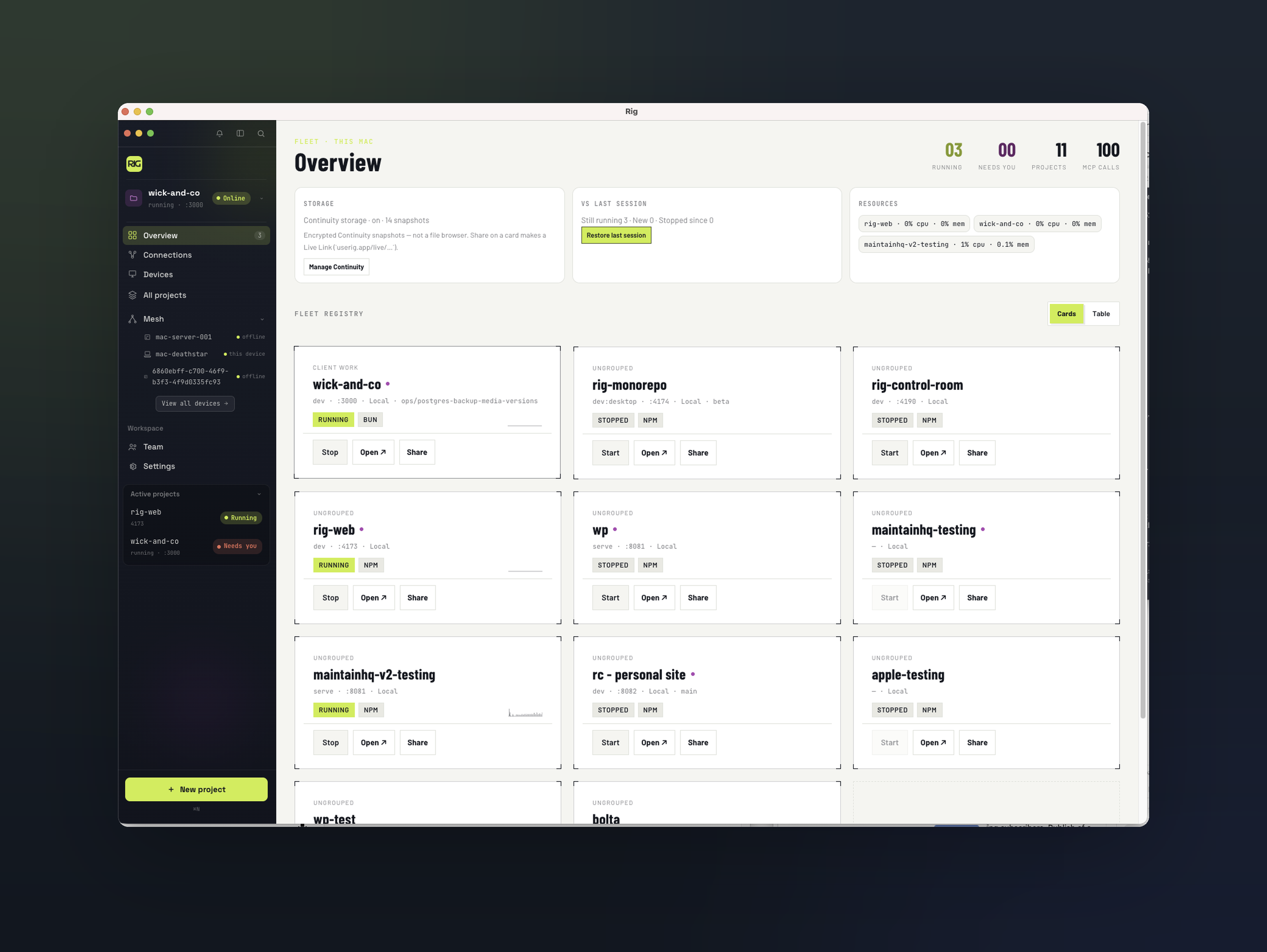
Built-in collaboration: Rig includes shared environments and real-time sync, so multiple developers can work on the same project without stepping on each other's toes. Herd lacks this, forcing teams to use third-party tools or manual coordination.
Cloud sync: Rig automatically backs up and syncs your development environment across devices. Herd does not offer cloud sync, so switching computers means reconfiguring from scratch.
CI/CD integrations: Rig natively integrates with GitHub Actions, GitLab CI, and Bitbucket Pipelines. Herd requires manual scripting, which adds setup time and maintenance overhead.
Polyglot support: Rig supports PHP, JavaScript, Python, Ruby, and Go out of the box. Herd focuses on PHP and JavaScript, so teams using other languages need additional tools.
These aren't minor conveniences—they translate to hours saved per developer per week and thousands of dollars saved per year.
Deep Dive: Pricing That Scales Without Penalty
Herd's pricing is straightforward: $99 per user per year after a 30-day trial. That model works for solo developers, but it penalizes teams. Every new hire adds $99 to the annual bill. Rig flips that: it's free for unlimited users and projects. You can onboard your entire engineering organization without increasing costs.
Real cost comparison
Consider a 20-person team. Herd costs $1,980 per year. Rig costs $0. Over five years, that's $9,900 saved—enough to fund a junior developer's salary for a few months or upgrade your hardware. For startups and scale-ups, that capital is better spent on product development.
No hidden fees
Rig's free tier includes all core features: local development, database management, and team collaboration. There are no paywalls for essential functionality. Herd's trial is limited to 30 days, after which you must pay to continue using the tool. There's no free tier for teams.
Deep Dive: Collaboration and Cloud Sync
Modern development is collaborative. Rig was built with teams in mind, offering shared environments that let multiple developers work on the same project simultaneously. Changes sync in real time, so everyone stays up to date. Herd, by contrast, is designed for individual local development. It has no built-in collaboration features.
How Rig's shared environments work
When you create a project in Rig, you can invite team members to join. Each member gets access to the same environment configuration, including services, databases, and environment variables. Any changes to the environment are propagated instantly. This eliminates the "works on my machine" problem and reduces onboarding time for new developers.
Cloud sync for remote work
Rig automatically syncs your environment to the cloud. If you switch laptops or work from home, your setup is ready to go. Herd stores everything locally, so you'd need to manually replicate your setup on each machine. For remote teams, Rig's cloud sync is a significant time-saver.
Deep Dive: CI/CD and Automation
Rig integrates directly with popular CI/CD platforms, including GitHub Actions, GitLab CI, and Bitbucket Pipelines. You can define your environment as code and have Rig spin it up in your pipeline. This ensures consistency between local and CI environments. Herd does not offer native CI/CD integrations; you'd need to write custom scripts to achieve similar results.
Example: GitHub Actions with Rig
With Rig, you can add a step to your workflow that uses the Rig CLI to start your environment. Tests run against the same services you use locally, reducing surprises. Herd users often resort to Docker Compose or manual setup, which can drift from local configurations.
Time savings
Teams report saving 3-5 hours per week per developer by automating environment setup and teardown in CI. Over a year, that's 150-250 hours per developer—equivalent to a month of work.
Who This Is Actually For
Rig is ideal for three types of teams:
Startups and small teams: With limited budgets, saving $99 per user per year is significant. Rig's free tier lets you allocate resources to product development instead of tooling.
Remote and distributed teams: Rig's cloud sync and collaboration features keep everyone on the same page, regardless of location. Herd's lack of these features makes remote work harder.
Polyglot engineering teams: If your stack includes PHP, JavaScript, Python, Ruby, or Go, Rig supports them all. Herd's focus on PHP and JavaScript means you'd need additional tools for other languages.
If you're a solo developer working exclusively with PHP and JavaScript, Herd might suffice. But for teams, Rig offers more value at a lower cost.
Migration Walkthrough: Switching from Herd to Rig
Migrating from Herd to Rig is straightforward. Follow these steps:
Install Rig: Download the Rig installer from userig.app and run it. Rig supports macOS, Windows, and Linux.
Import your projects: Rig can automatically detect and import projects from Herd. If not, you can manually add your project directories.
Configure services: Rig will suggest services based on your project's dependencies (e.g., PHP, MySQL, Redis). Review and adjust as needed.
Set up team collaboration: Invite team members to your Rig workspace. They'll receive access to shared environments.
Connect CI/CD: Add Rig to your CI pipeline using the provided integrations. Test a build to ensure everything works.
Decommission Herd: Once you've verified that Rig meets your needs, cancel your Herd subscription. You can keep Herd installed as a fallback for a few weeks.
Most teams complete the migration in under an hour. Rig's import tool handles the heavy lifting, and our support team is available if you need help. Published with Alt Hunt.
Pricing breakdown
| Plan | Rig | Herd |
|---|---|---|
| Individual | $0 | $99/year |
| Team of 5 | $0 | $495/year |
| Team of 10 | $0 | $990/year |
| Enterprise | Custom (free core) | Custom |
Illustrative pricing — verify current figures before relying on this.
Ready to try Rig?
Visit userig.appCommunity Discussions & Reviews
Real feedback from verified buyers, founders, and engineering teams using these products.