

Pixso — modern Design platform
Pixso alternative to Figma: collaborative UI/UX design at a lower price point
Pixso is a collaborative cloud-based UI/UX design workspace built as a cost-effective, highly compatible alternative to Figma. Sharing a very similar layout, shortcuts, and canvas organization, Pixso enables design teams to migrate without retraining. Unlike Figma, which has increased its pricing and restricted advanced features, Pixso offers competitive team tiers, robust file importers (supporting Figma, Sketch, and Adobe XD natively), and secure cloud deployment options. For startups, agencies, and enterprise teams seeking to cut SaaS subscription overhead while keeping a collaborative cloud wireframing workflow, Pixso is a strong challenger; for teams locked into Figma's extensive plug-in community, Figma remains standard.
Feature comparison matrix
| Feature | Pixso | Figma | Why it matters |
|---|---|---|---|
| File compatibility | Native import for Figma (.fig), Sketch, Adobe XD, and Axure | Imports Sketch; no native Adobe XD or Pixso importers | Pixso imports Figma files complete with components, links, and styling. |
| Pricing value | Professional team seats are up to 50% cheaper than Figma | Standard Professional seats start at $15/seat/month | Startups can drastically reduce design software spend. |
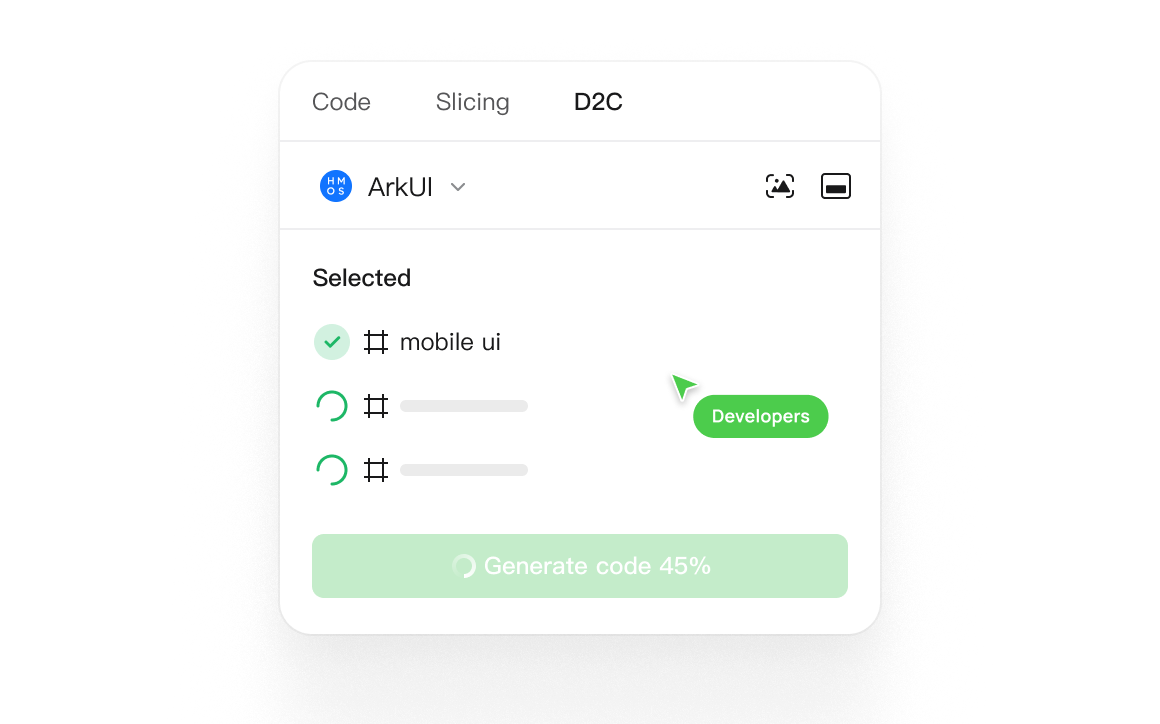
| Developer specs | Automatic CSS, Swift, and Android code generation inspect panels | Dev Mode inspect, requires additional license management on higher tiers | Developer inspect tools are built in standard. |
Why buyers actually switch from Figma to Pixso
Design teams switch to Pixso to lower their SaaS bill, or when migrating from diverse file formats (Sketch, XD) into a single unified cloud workspace.
1. Up to 50% lower seat costs
Pixso provides cloud collaborative UI/UX prototyping at a fraction of the cost of Figma's team plans.
2. Direct Figma imports
You can import standard .fig design assets directly into Pixso, retaining vector layers, components, and user flows.
Deep dive: Multi-Format Vector Importer
Pixso is built to act as the bridge between legacy offline editors and modern collaborative workspaces.
Universal design file support
Open Sketch, Figma, Adobe XD, and Axure files in a single unified editor without file loss.
Who Pixso is actually for
1. Budget-conscious startup teams
Teams looking for Figma's collaborative workflow without its high monthly pricing.
Migration walkthrough: how to switch from Figma to Pixso
Step 1: Import Figma files
Upload your Figma .fig libraries directly into the Pixso dashboard.
Objection handling: “Is Pixso as good as Figma for plugins?”
No. Figma has a massive global developer community and thousands of plugins. While Pixso includes standard, built-in features for wireframing and prototyping, its plugin ecosystem is smaller, which is the primary tradeoff for its lower pricing.
Pricing breakdown
| Plan | Pixso | Figma |
|---|---|---|
| Starter / Basic | Free with unlimited files, up to 3 active projects | Free plan with 3 files and 3 pages limit |
| Professional | Starts at roughly $8/user/month billed annually | Starts at $15/seat/month billed annually |
Illustrative pricing — verify current figures before relying on this.
FAQ
- What is Pixso?
- Pixso is a cloud-based collaborative UI/UX design tool built as a lower-cost, highly compatible alternative to Figma.
- Can I import Figma files to Pixso?
- Yes, it imports .fig files, keeping layers, components, and interactive links intact.
- Does Pixso support Sketch and Adobe XD files?
- Yes, it natively imports Sketch, Adobe XD, and Axure files.
- Is Pixso cheaper than Figma?
- Yes, Pixso offers highly competitive team pricing, starting much lower than Figma's Professional tier.
- Does Pixso run in the browser?
- Yes, Pixso is cloud-based and runs in any modern web browser or via desktop apps.
- Does Pixso support developer handoff?
- Yes, it generates automatic code inspect specifications (CSS, iOS, Android) for developers.
- Can I create prototypes in Pixso?
- Yes, it supports advanced interactive prototyping, transitions, smart animate, and user flows.
- Does Pixso support real-time team collaboration?
- Yes, multiple team members can edit on the same canvas with live multiplayer cursors.
- Does Pixso have a resource library?
- Yes, it includes a built-in community library of UI templates, icons, and components.
- Where is Pixso's data hosted?
- It offers secure cloud hosting, with options for private deployments and enterprise data compliance.
Community Discussions & Reviews
Real feedback from verified buyers, founders, and engineering teams using these products.